Best GPU Server for AI | How It Works and Use Cases 2026
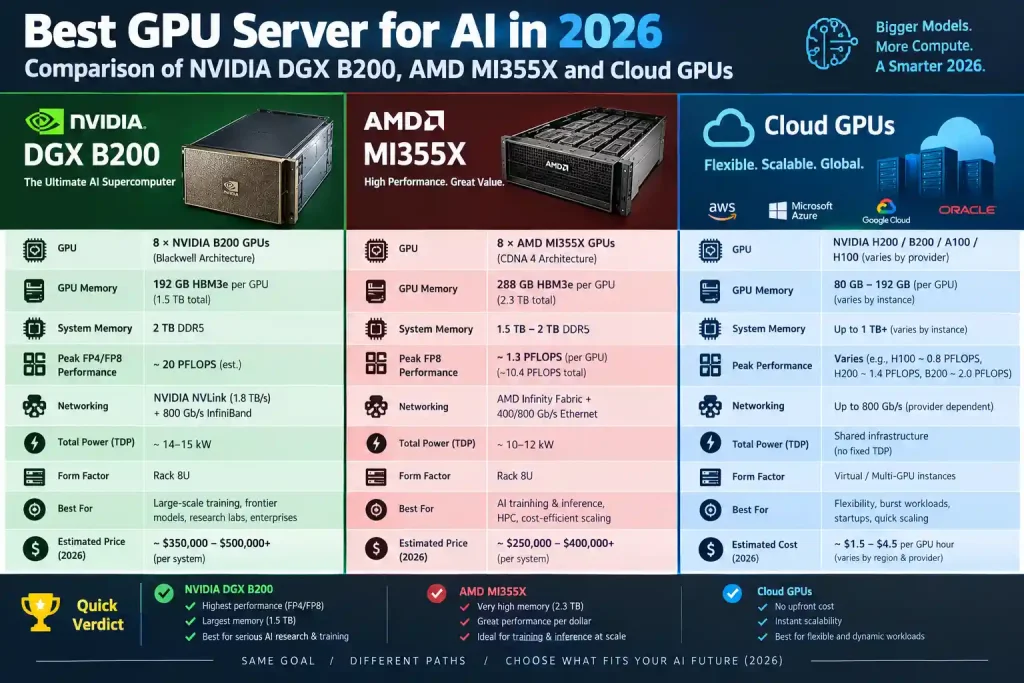
Choosing the best GPU server for AI in 2026 has a bigger impact than ever. Models keep getting larger, context windows now reach millions of tokens, and inference costs often exceed training costs. The wrong server can leave you short on VRAM in the middle of a project or burn money on GPUs that sit idle.
This guide compares the top 10 GPU servers for AI training, fine-tuning and inference, from flagship NVIDIA DGX systems to budget-friendly cloud GPUs. It also explains how a GPU server works, who uses one, and what to check before you buy or rent.
Quick answer: For large-scale training, the NVIDIA DGX B200 (or the newer B300) is the best GPU server for AI in 2026. For memory-heavy LLM inference at a lower cost, the AMD MI355X-based Dell PowerEdge XE9785 is the strongest alternative. Startups and solo developers get the best value from RunPod or Lambda cloud GPUs.
Table of ContentsShow or hide all 11 sectionsShowHide
GPU vs GPU Server: What’s the Difference?
| GPU (Graphics Card) | GPU Server | |
|---|---|---|
| What it is | A single chip/card inside a PC or workstation | A complete system built to host 1–8+ GPUs |
| Memory | 8–32 GB (consumer), up to 96 GB (workstation) | 80–288 GB per GPU, up to 2.3 TB per node |
| GPU-to-GPU link | PCIe only | NVLink/NVSwitch (up to 1.8 TB/s per GPU) or Infinity Fabric |
| Power & cooling | 300–600 W, air-cooled | 10–15 kW per node, redundant PSUs, often liquid-cooled |
| Uptime | Desktop use | Built for 24/7 full load, remote management (BMC/iDRAC) |
| Networking | 1–10 GbE | 400–800 Gb/s InfiniBand/Ethernet for clustering |
In short, a GPU does the math, and a GPU server provides the power, cooling, memory, networking and management that let several GPUs run at full speed around the clock.
Quick Comparison: Best GPU Servers for AI (2026)
| # | GPU Server | GPUs | Total GPU Memory | Best For | Approx. Cost (2026) |
|---|---|---|---|---|---|
| 1 | NVIDIA DGX H100 | 8× H100 SXM | 640 GB HBM3 | Proven training workhorse | $250k–$350k (used/refurb lower) |
| 2 | NVIDIA DGX H200 | 8× H200 SXM | 1,128 GB HBM3e | LLM inference, 70B–400B models | $300k–$400k |
| 3 | NVIDIA DGX B200 | 8× B200 | 1,440 GB HBM3e | Frontier training + inference | $400k–$500k |
| 4 | Supermicro GPU A+ Server | 8× HGX / Instinct | Up to 2.3 TB | Customizable enterprise builds | Varies by config |
| 5 | Dell PowerEdge XE9785 | 8× AMD MI355X | 2.3 TB HBM3e | Memory-heavy inference | Quote-based |
| 6 | AMD Instinct MI300X Platform | 8× MI300X | 1.5 TB HBM3 | Cost-efficient LLM serving | Quote-based / cloud |
| 7 | NVIDIA GH200 Grace Hopper | 1× H100/H200 + Grace CPU | Up to ~624 GB unified | HPC + AI, huge datasets | Per node, quote-based |
| 8 | Lambda Hyperplane | 8× H100/H200/B200 | Up to 1.4 TB+ | Research labs, on-prem or cloud | ~$3/hr per H100 (cloud) |
| 9 | Hetzner Dedicated GPU | 1× RTX 4000 / RTX 6000 Ada | 20–48 GB | Budget inference, small models | From ~€184/month |
| 10 | RunPod Community Cloud | Any (4090 → H100/B200) | 24 GB → 192 GB per GPU | Cheapest pay-as-you-go | ~$0.35–$2.70/hr |
Prices are 2026 market estimates. Always check current vendor quotes.
Top 10 Best GPU Servers for AI (2026)
1. NVIDIA DGX H100
The DGX H100 set the standard for the generative AI boom, and in 2026 it is still one of the most widely deployed GPU servers for deep learning. Since Blackwell launched, prices have fallen and many refurbished units are now on the market, which makes it a strong value pick.
Key Specs
- GPUs: 8× NVIDIA H100 SXM5 (80 GB HBM3 each, 640 GB total)
- AI Performance: ~32 PFLOPS FP8
- Interconnect: 18 NVLink 4 connections per GPU (900 GB/s), 4× NVSwitch, 7.2 TB/s total GPU-to-GPU bandwidth
- CPU: 2× Intel Xeon Platinum 8480C (112 cores total)
- System Memory: 2 TB DDR5
- Networking: 10× ConnectX-7 400 Gb/s (up to 1 TB/s peak bidirectional)
- Storage: 30 TB NVMe (data) + OS drives
- Form Factor: 8U rackmount
- Power: ~10.2 kW max
Pros: Mature CUDA software stack, huge community support, falling prices
Cons: 80 GB per GPU limits very large models, slower than Blackwell
Remarks
The DGX H100 is the “safe bet.” Choose it if you want proven reliability and broad framework support (PyTorch, TensorFlow, JAX, TensorRT-LLM) at a lower price than Blackwell. It is excellent for training models up to ~70B parameters, but memory becomes tight for 400B+ models.
2. NVIDIA DGX H200
The DGX H200 uses the same Hopper compute as the H100 but replaces the memory with 141 GB of HBM3e per GPU at 4.8 TB/s. That upgrade makes it one of the best GPU servers for LLM inference in 2026.
Key Specs
- GPUs: 8× NVIDIA H200 (141 GB HBM3e each, 1,128 GB total)
- Memory Bandwidth: 4.8 TB/s per GPU (~1.4× H100)
- AI Performance: ~32 PFLOPS FP8
- Interconnect: NVLink 4 + 4× NVSwitch (900 GB/s per GPU)
- CPU: 2× Intel Xeon Platinum 8480C (112 cores, 2.0 GHz base / 3.8 GHz boost)
- System Memory: 2 TB
- Networking: 8× single-port ConnectX-7 (400 Gb/s) + 2× dual-port ConnectX-7
- Storage: 8× 3.84 TB NVMe U.2 + 2× 1.92 TB NVMe M.2 (OS)
- Software: NVIDIA AI Enterprise, Base Command, DGX OS / Ubuntu / RHEL / Rocky Linux
- Form Factor & Weight: 8U, ~130 kg
- Power: ~10.2 kW max
Pros: Up to ~1.9× faster LLM inference than H100, drop-in Hopper compatibility
Cons: Same raw compute as H100, priced close to early Blackwell offers
Remarks
If your workload is memory-bound (serving Llama-class 70B–405B models, long context windows, large batch inference), the H200 gives you a noticeable boost without a new software stack. It is a smart choice for teams that already run on Hopper.
3. NVIDIA DGX B200
The DGX B200 is built on NVIDIA’s Blackwell architecture and is the top choice for organizations that want the best GPU server for AI training in 2026. Each B200 GPU combines two dies into one package, connected by a 10 TB/s chip-to-chip link.
Key Specs
- GPUs: 8× NVIDIA B200 (1,440 GB HBM3e total)
- AI Performance: ~72 PFLOPS FP8 training, ~144 PFLOPS FP4 inference
- Interconnect: 5th-gen NVLink via 2× NVSwitch (1.8 TB/s per GPU, 14.4 TB/s aggregate)
- CPU: 2× Intel Xeon Platinum 8570 (112 cores total, up to 4.0 GHz boost)
- System Memory: 2 TB (configurable up to 4 TB)
- Networking: 4× OSFP ports (up to 400 Gb/s) + 2× BlueField-3 DPUs
- Storage: 8× 3.84 TB NVMe U.2 (data cache) + 2× 1.92 TB NVMe M.2 (OS)
- Form Factor: 10U rackmount
- Power: ~14.3 kW max
Pros: Up to 3× training and 15× inference performance vs DGX H100 (NVIDIA figures), FP4 support
Cons: Expensive, long lead times, needs high-density power and cooling
New in 2026: The DGX B300 (Blackwell Ultra) raises memory to 288 GB per GPU (~2.3 TB per node) and targets reasoning/agentic AI. Expect prices around $550k–$750k and mandatory liquid-cooling planning.
Remarks
The DGX B200 is the best overall GPU server for AI for enterprises training frontier models or running high-volume inference. Before ordering, confirm your data center can supply 15 kW+ per rack unit group and plan for liquid cooling.
4. Supermicro GPU A+ Server (8× GPUs)
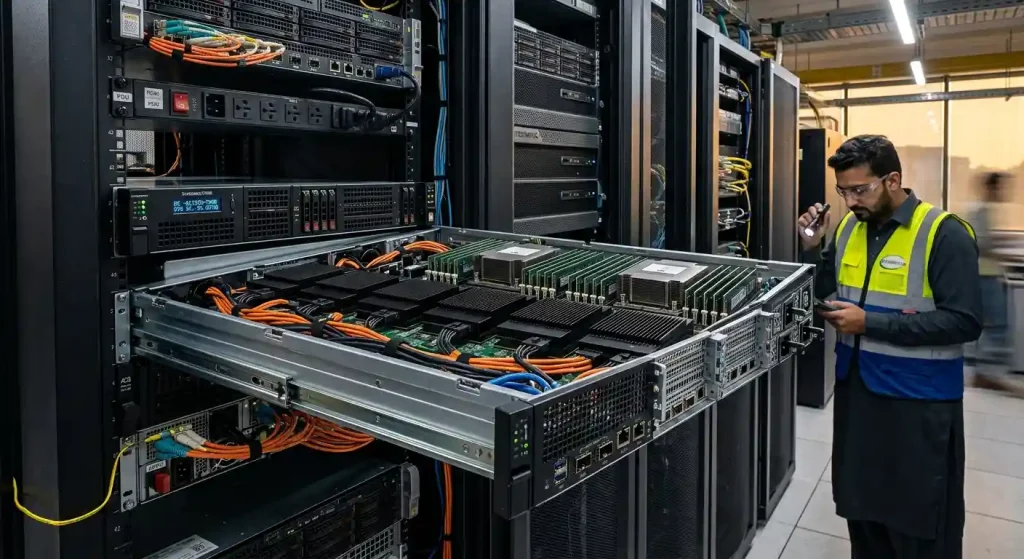
Supermicro’s A+ servers pair AMD EPYC CPUs with either NVIDIA HGX or AMD Instinct GPU boards. Popular models include the AS-8125GS-TNHR (8U, HGX H100/H200) and the newer AS-8126GS-TNMR / AS-4126GS-NMR-LCC for the AMD MI350 series.
Key Specs (typical 8-GPU configs)
- HGX / OAM config: 8× NVIDIA HGX H200/B200 or 8× AMD Instinct MI325X/MI355X (up to 2.3 TB HBM3e)
- PCIe config (4U): 8× double-width GPUs such as NVIDIA RTX PRO 6000 Blackwell Server Edition (96 GB GDDR7 each, 768 GB total, 600 W per GPU). This is a cheaper option for inference, fine-tuning and rendering.
- CPU: 2× AMD EPYC 9004/9005 series (up to 192 cores per socket). A+ = AMD EPYC platform; Supermicro’s Intel Xeon models are sold as “SuperServer”.
- System Memory: 24× DDR5 DIMM slots (1.5 TB+ typical)
- Storage: E3.S / U.2 NVMe PCIe 5.0 hot-swap bays
- Networking: Up to 400 Gb/s per GPU
- Cooling: Air-cooled (8U) or direct liquid-cooled (4U)
Pros: Highly customizable, often cheaper than DGX, choice of NVIDIA or AMD, SXM or PCIe GPUs
Cons: You handle more integration and software setup yourself, and PCIe configs lack NVLink
Remarks
Supermicro is the go-to choice for building a custom 8-GPU server for AI. It suits companies with in-house infrastructure teams that want DGX-class performance and control over CPU, storage and networking choices.
5. Dell PowerEdge XE9785
The Dell PowerEdge XE9785 is Dell’s flagship 10U AI server for foundation model training and high-throughput inference. It is unusual because you can order it with either AMD or NVIDIA accelerators.
Key Specs
- GPU Options: 8× AMD Instinct MI355X OAM (288 GB HBM3e each, ~2.3 TB total, 1,400 W per GPU) or 8× NVIDIA HGX B300 NVL8 (SXM6, ~1,100 W per GPU)
- Memory Bandwidth: Up to 8 TB/s per MI355X GPU
- CPU: 2× 5th Gen AMD EPYC 9005 (up to 192 cores per CPU, 384 total)
- System Memory: 24× DDR5-6400 RDIMM slots, up to 6 TB
- Storage: Up to 16× E3.S NVMe (~245 TB) or 10× Gen5 U.2 NVMe
- Power: 12× 3,200 W Titanium hot-swap PSUs
- Management: iDRAC10, Redfish API, OpenManage Enterprise
- Variants: XE9785 (10U air-cooled) and XE9785L (direct liquid-cooled, ORv3 rack)
- Precision Support (MI355X): FP4, FP6, FP8, FP16
Pros: Huge memory per GPU, choice of AMD or NVIDIA, Dell enterprise support and security (TPM 2.0, Silicon Root of Trust)
Cons: Very high power draw (the 8 MI355X GPUs alone use ~11.2 kW), ROCm ecosystem still smaller than CUDA for some niche tools
Remarks
If you need to fit very large models on fewer GPUs, the XE9785’s 288 GB per GPU stands out. It is ideal for enterprises that already standardize on Dell hardware and want an alternative to NVIDIA pricing.
6. AMD Instinct MI300X
The AMD Instinct MI300X platform brought AMD back into serious AI competition. Microsoft Azure, Meta and Oracle Cloud all deploy it at scale, and it remains a cost-efficient option in 2026.
Key Specs
- GPUs: 8× MI300X OAM on a UBB 2.0 platform (192 GB HBM3 each, 1.5 TB total)
- Memory Bandwidth: 5.3 TB/s per GPU
- Platform AI Performance: 20.9 PFLOPS FP8 (41.8 PFLOPS with sparsity), 10.5 PFLOPS FP16/BF16
- HPC Performance: 653.6 TFLOPS FP64, 1.3 PFLOPS FP64 Matrix
- Architecture: CDNA 3, 4th-gen Infinity Fabric (896 GB/s aggregate GPU-to-GPU)
- Host Interface: PCIe Gen5 (128 GB/s)
- TDP: ~750 W per GPU
Pros: 192 GB per GPU (more than H100/H200), strong price-to-memory ratio, wide cloud availability
Cons: Superseded by MI325X (256 GB) and MI355X (288 GB), some kernels need ROCm tuning
Remarks
The MI300X is a great value GPU server for LLM inference. A 70B model in FP16 fits on a single MI300X, which simplifies deployment and cuts cost per token. Upgrade to the MI355X if you also need FP4/FP6 and more bandwidth.
7. NVIDIA Grace Hopper (GH200)
The GH200 Grace Hopper Superchip joins an Arm-based Grace CPU and a Hopper GPU in one module through NVLink-C2C (900 GB/s). That is about 7× faster than PCIe Gen5.
Key Specs
- CPU: NVIDIA Grace, 72 Arm Neoverse V2 cores
- GPU: H100-class with 96 GB HBM3 or 144 GB HBM3e
- CPU Memory: Up to 480 GB LPDDR5X
- Unified Memory: Up to 576 GB (HBM3 version) or ~624 GB (HBM3e version) per superchip
- GPU Performance: Up to ~4 PFLOPS FP8 (with sparsity)
- GH200 NVL2 (2 superchips): 288 GB HBM3e, ~1.2 TB fast memory, 10 TB/s memory bandwidth
- Power: Configurable ~450 W to 1,000 W per superchip
- NVIDIA-claimed speedups: up to 8× faster GNN training vs H100 PCIe, up to 30× faster RAG embedding vs CPU
Pros: Removes the CPU-to-GPU bottleneck, excellent for giant datasets, recommender systems and HPC
Cons: Arm CPU means some x86 software needs recompiling
Remarks
The GH200 shines where data movement between CPU and GPU is the bottleneck, such as graph neural networks, recommendation engines, and scientific simulations. Many supercomputers (and the newer GB200 NVL72 racks) build on this design.
8. Lambda Hyperplane GPU Server
Lambda is a GPU cloud and hardware company focused on deep learning. Its Hyperplane servers come with 8× NVIDIA SXM GPUs (H100, H200 or B200) and Lambda Stack preinstalled (PyTorch, TensorFlow, CUDA, drivers).
Key Specs
- GPUs: 8× NVIDIA H100 / H200 / B200 SXM
- CPU: Dual high-core-count server CPUs (the H100 Hyperplane launched with AMD EPYC 9004 series)
- Interconnect: NVLink + NVSwitch, InfiniBand for multi-node clusters
- Software: Lambda Stack (one-line install of the full ML stack)
- Deployment: On-premises purchase or Lambda Cloud on-demand / reserved
- Cloud Price: ~$3/hr per H100 GPU on demand (2026 estimate)
Pros: Ready to train out of the box, transparent pricing, strong support for researchers
Cons: On-demand capacity can sell out during peak demand
Remarks
Lambda is ideal for universities, AI startups and research labs. You can prototype in Lambda Cloud and move to an on-prem Hyperplane later on the same software stack, with no migration headaches.
9. Hetzner Dedicated GPU Server
Hetzner (Germany/Finland) offers some of the cheapest dedicated GPU servers for AI in Europe. Its GEX line uses NVIDIA RTX workstation GPUs rather than data center H100s.
Key Specs
- GEX44: NVIDIA RTX 4000 SFF Ada (20 GB GDDR6 ECC), Intel Core i5-13500, 64 GB RAM, 2× 1.92 TB NVMe. ~€184/month
- GEX130: NVIDIA RTX 6000 Ada (48 GB GDDR6 ECC), Intel Xeon Gold 5412U (24 cores), 128 GB DDR5 ECC. ~€838/month (setup fee ~€79)
- Billing: Fixed monthly price (no per-hour surprises), prices excl. VAT
- Network: 1 Gbit/s (10 Gbit/s option on GEX130)
Pros: Predictable cost, root access + IPMI, GDPR-friendly German/Finnish data centers
Cons: Not suited to large-scale training, limited VRAM, no NVLink
Remarks
Hetzner is a strong pick for running 7B–30B models (quantized), Stable Diffusion, Whisper or RAG chatbots 24/7 on a tight budget. It is not a replacement for H100 clusters, but it is one of the cheapest GPU servers for AI inference you can keep online all month.
10. RunPod Community Cloud
RunPod is a pay-as-you-go GPU cloud. Its Community Cloud connects you to vetted third-party hosts, which keeps prices among the lowest on the market. Secure Cloud runs in tier-3/4 data centers for production use.
Key Specs
- GPUs Available: RTX 3090/4090/5090, A100, H100, H200, MI300X, B200
- Pricing (approx. 2026): RTX 4090 from ~$0.35/hr; H100 ~$1.99–$2.69/hr (Community)
- Features: Per-second billing, Docker templates, serverless GPU endpoints
- Setup Time: Pods launch in under a minute
Pros: Cheapest way to rent a GPU server for AI, no long-term contract, huge GPU variety
Cons: Community hosts vary in reliability; use Secure Cloud for production
Remarks
RunPod is the best GPU server option for freelancers, students and early-stage startups. You can fine-tune a 7B model with LoRA for a few dollars or deploy a serverless inference endpoint that scales to zero.
Buy vs Rent: Which GPU Server Option Is Right for You?
| Factor | Buy (On-Prem) | Rent (Cloud) |
|---|---|---|
| Upfront cost | $250k–$750k per 8-GPU node | $0 |
| Best for | 24/7 workloads, data privacy | Bursty training, experimentation |
| Break-even | Usually 12–24 months at >60% utilization | Never “owned” |
| Maintenance | Your team (power, cooling, repairs) | Provider |
| Scaling | Slow (procurement lead times) | Instant |
Rule of thumb: If your GPUs will run more than ~60% of the time for over a year, buying usually wins. Otherwise, renting from Lambda, RunPod, CoreWeave or a hyperscaler is cheaper and more flexible.
How Much VRAM Do You Need for AI Models?
Running out of VRAM is the most common mistake people make when picking a GPU server. Use this quick guide for LLM inference (training needs roughly 3–4× more because of gradients and optimizer states):
| Model Size | FP16 (2 bytes/param) | 8-bit | 4-bit | Suggested Server |
|---|---|---|---|---|
| 7B–8B | ~16 GB | ~8 GB | ~5 GB | RTX 4090 / Hetzner GEX44 |
| 13B–14B | ~28 GB | ~14 GB | ~8 GB | RTX 6000 Ada / RunPod |
| 70B | ~140 GB | ~70 GB | ~40 GB | 1× MI300X or 2× H100 |
| 405B | ~810 GB | ~405 GB | ~230 GB | DGX H200 / B200 / XE9785 |
Add 10–30% extra for KV cache, especially with long context windows.
Working Mechanism of GPU Servers in AI
A GPU server is a high-performance computer built around several graphics processing units that run thousands of math operations in parallel. Here is how it works.
Core Architecture of a GPU Server
A typical AI GPU server includes:
- GPUs (accelerators): 4–8 high-end GPUs (H100, B200, MI355X) that do most of the AI math
- CPUs: 1–2 server processors (Intel Xeon, AMD EPYC or NVIDIA Grace) that handle the operating system, data loading and orchestration
- High-Bandwidth Memory (HBM): Ultra-fast memory stacked next to each GPU die (up to 8 TB/s)
- System RAM: 1–4 TB DDR5 for data preprocessing
- NVMe Storage: Fast SSDs (often 30 TB+) to feed training data without delays
- Networking: 400–800 Gb/s InfiniBand or Ethernet NICs for multi-node clusters
- Power & Cooling: Redundant PSUs (10–15 kW per node) and air or liquid cooling
💡 Building a smaller AI workstation instead? Use our free PSU Wattage Calculator to size the power supply for multi-GPU builds correctly.
Parallel Processing Mechanism
A CPU has a few dozen powerful cores optimized for sequential tasks. A modern data center GPU has more than 16,000 CUDA cores plus specialized Tensor Cores. Neural networks mostly consist of matrix multiplications, which can be split into thousands of small, independent calculations.
- Tensor Cores run mixed-precision math (FP16, BF16, FP8 and now FP4) many times faster than standard cores.
- Lower precision = more speed: Blackwell’s FP4 doubles throughput compared with FP8 while keeping accuracy acceptable for inference.
- Data, tensor and pipeline parallelism split one large model or dataset across multiple GPUs so they work at the same time.
That is why one 8-GPU server can train in days what would take a CPU cluster months.
Task Distribution Between CPU and GPU
| CPU Handles | GPU Handles |
|---|---|
| Loading and preprocessing data | Forward and backward passes |
| Running the OS, drivers, containers | Matrix multiplications |
| Scheduling jobs and managing I/O | Gradient calculations |
| Tokenization, augmentation | Attention and convolution layers |
If the CPU cannot prepare data fast enough, expensive GPUs sit idle. This is a classic CPU–GPU bottleneck. The same problem affects gaming PCs and AI workstations, and you can check your component balance with our free Bottleneck Calculator.
Interconnects and Data Flow
How fast GPUs talk to each other is often more important than raw compute:
- PCIe Gen5: ~128 GB/s bidirectional (x16). Fine for single-GPU or inference servers.
- NVLink 4 (Hopper): 900 GB/s per GPU
- NVLink 5 (Blackwell): 1.8 TB/s per GPU
- NVSwitch: Connects all 8 GPUs so that each one can talk to every other one at full speed
- NVLink-C2C (Grace Hopper): 900 GB/s CPU–GPU link
- InfiniBand / RoCE (400–800 Gb/s): Connects multiple servers into large training clusters
NVLink vs PCIe in short: for multi-GPU training of large models, NVLink/NVSwitch servers (SXM GPUs) are much faster. For inference or small models, PCIe GPUs cost less and work well.
Typical data flow: NVMe storage → CPU/RAM (preprocessing) → GPU HBM (via PCIe or C2C) → GPU compute → results shared across GPUs (NVLink) → other nodes (InfiniBand) → checkpoints saved back to storage.
GPU Server Use Cases In 2026
AI & Machine Learning Companies
AI labs and SaaS companies use GPU servers to pre-train and fine-tune LLMs, build AI agents and serve millions of inference requests per day. Inference now consumes a larger share of GPU hours than training, so high-memory GPUs like the H200 and MI355X are in high demand.
Data Science & Data Analytics Firms
With RAPIDS (cuDF, cuML) and GPU-accelerated Apache Spark, analytics teams process billions of rows in minutes instead of hours. GPU servers also power fraud detection, demand forecasting and real-time recommendation engines.
Healthcare & Medical Research Organizations
Hospitals and biotech firms use GPU servers for medical image analysis (MRI, CT, X-ray), protein structure prediction, drug discovery and genomics. Frameworks like NVIDIA Clara and BioNeMo speed up research that once took years.
Autonomous Vehicles & Robotics Companies
Self-driving and robotics teams train perception models on petabytes of sensor data and run large-scale simulations (for example NVIDIA Omniverse/Isaac Sim) before putting anything in the real world. These workloads need multi-node GPU clusters with fast storage.
Media, Entertainment & Animation Studios
Studios use GPU servers for 3D rendering, VFX, AI video generation, upscaling and voice synthesis. Generative AI tools for video and images now run on the same servers that render final frames.
Scientific Research & High-Performance Computing (HPC)
Climate modeling, physics simulations, astronomy and materials science all depend on GPU-accelerated supercomputers. Grace Hopper and Blackwell systems now power many of the world’s top supercomputers.
Cloud Service Providers & AI Platforms
AWS, Azure, Google Cloud, Oracle, CoreWeave, Lambda and RunPod buy GPU servers in bulk and rent them as GPU-as-a-Service. This lets any developer access H100 or B200 power by the hour.
Evaluate Before Buying a GPU Server for AI
Check these 10 points before you spend money:
- Workload type. Training needs compute and fast interconnects. Inference needs memory capacity and bandwidth.
- VRAM per GPU. Make sure your largest model (plus KV cache) fits. See the VRAM table above.
- Interconnect. Choose SXM + NVLink/NVSwitch for multi-GPU training, and PCIe for budget inference.
- Software ecosystem. CUDA (NVIDIA) has the widest support. ROCm (AMD) has matured a lot and is cheaper per GB of memory.
- CPU balance. Pair GPUs with enough CPU cores and RAM to avoid data-loading bottlenecks. A good rule is 8–16 CPU cores per GPU.
- Storage speed. Use NVMe SSDs or parallel file systems (WEKA, VAST, Lustre) so GPUs never wait for data.
- Networking. You need 400 Gb/s+ InfiniBand or RoCE for multi-node training.
- Power and cooling. An 8-GPU Blackwell node can draw 14+ kW. Check rack power and whether you need liquid cooling.
- Total cost of ownership (TCO). Include electricity, cooling, support contracts and staff, not just the hardware price.
- Scalability and lead time. Ask vendors about delivery times. Blackwell systems can take months.
🔍 Pro tip: A GPU server only performs as well as its weakest component. Before upgrading any system, run a quick check with our free CPU & GPU Bottleneck Calculator to find out which part is holding you back.
Conclusion
The best GPU server for AI in 2026 depends on your workload, budget and scale:
- Best overall: NVIDIA DGX B200 (or B300 for frontier-scale AI)
- Best for LLM inference: NVIDIA DGX H200 or Dell PowerEdge XE9785 (MI355X)
- Best value enterprise option: AMD Instinct MI300X platform or a Supermicro A+ server
- Best for HPC and huge datasets: NVIDIA GH200 Grace Hopper
- Best for researchers: Lambda Hyperplane
- Best budget dedicated server: Hetzner GEX series
- Cheapest pay-as-you-go option: RunPod Community Cloud
Start by working out how much VRAM your models need, decide whether buying or renting makes more financial sense, and make sure your CPU, storage, networking and power can keep up with your GPUs. For more hardware guides, visit our blog.
FAQs
1. What is the best GPU server for AI in 2026?
The NVIDIA DGX B200 is the best overall GPU server for AI training and inference in 2026. For memory-heavy inference, the AMD MI355X-based Dell PowerEdge XE9785 is a strong alternative.
2. How much does an AI GPU server cost?
An 8-GPU enterprise AI server costs roughly $250,000–$750,000 depending on the GPU (H100, H200, B200, B300). Cloud rental starts at about $0.35/hr for consumer GPUs and $2–$4/hr for an H100.
3. Which is better for AI: NVIDIA or AMD GPU servers?
NVIDIA leads in software support (CUDA, TensorRT) and raw training performance. AMD offers more memory per GPU and better price-to-memory value, which makes it very competitive for LLM inference.
4. Can I use a gaming GPU like the RTX 4090 or 5090 for AI?
Yes. The RTX 4090 (24 GB) and RTX 5090 (32 GB) are good for fine-tuning small models, running quantized LLMs and image generation. They lack NVLink and the large VRAM needed for big-model training.
5. How many GPUs do I need to train an LLM?
Fine-tuning a 7B model with LoRA can run on one 24 GB GPU. Full training of a 70B model typically needs dozens to hundreds of H100/B200 GPUs across multiple nodes.
6. Is it cheaper to rent or buy a GPU server for AI?
Renting is cheaper for short-term or irregular workloads. Buying becomes more cost-effective if you keep GPUs busy more than ~60% of the time for 12–24 months.
7. What is the difference between a GPU server and a CPU server?
A CPU server has a small number of powerful cores for general tasks. A GPU server adds thousands of parallel cores built for the matrix math behind AI, which makes it 10–100× faster for deep learning.
8. How much power does an AI GPU server need?
An 8× H100/H200 server draws about 10 kW, and an 8× B200 server about 14 kW. Smaller multi-GPU workstations need 1,200–2,000 W. Use a PSU wattage calculator to size yours.
9. Can a CPU bottleneck a GPU server?
Yes. If the CPU cannot load and preprocess data fast enough, GPUs sit idle and you waste money. Balance your cores, RAM and storage. You can test CPU–GPU pairing with a bottleneck calculator.
10. What is NVLink and do I need it?
NVLink is NVIDIA’s high-speed GPU-to-GPU connection (up to 1.8 TB/s on Blackwell). You need it for multi-GPU training of large models. For single-GPU inference, PCIe is enough.
11. What is the difference between a GPU and a GPU server?
A GPU is a single processor card. A GPU server is a complete system that hosts 1–8+ GPUs together with powerful CPUs, terabytes of RAM, NVMe storage, high-speed networking, redundant power and industrial cooling, all built to run AI workloads 24/7.
12. How many GPUs does a typical AI server have?
Most AI servers ship with 4 or 8 GPUs. Enterprise systems like NVIDIA DGX and Dell XE9785 use 8 GPUs per node, and rack-scale systems like GB200 NVL72 connect 72 GPUs into a single NVLink domain.
13. How does cloud GPU server hosting work?
You rent GPU machines from a provider (RunPod, Lambda, AWS, Azure and others) over the internet. You launch an instance from a template, pay per second, hour or month, and shut it down when you are done. There is no hardware to buy or maintain.
14. Which companies provide GPU servers for AI?
Hardware vendors include NVIDIA (DGX), Supermicro, Dell, HPE, Lenovo, Gigabyte and ASRock Rack. Cloud providers include AWS, Microsoft Azure, Google Cloud, Oracle, CoreWeave, Lambda, RunPod and Hetzner.
15. What is a GPU server rack?
A GPU server rack is a data center cabinet that holds several GPU servers along with power distribution, networking switches and cooling. Because one Blackwell node can draw 14+ kW, modern AI racks often need 40–130 kW of power and liquid cooling.
Sources & References
Specs in this article were checked against official vendor pages and datasheets (October 2026):
- NVIDIA DGX B200: 1,440 GB HBM3e, 72 PFLOPS FP8, 144 PFLOPS FP4, ~14.3 kW, 10U
- NVIDIA DGX H200: 1,128 GB HBM3e, 32 PFLOPS FP8, 10.2 kW, 8U
- NVIDIA DGX H100: 640 GB HBM3, 7.2 TB/s NVLink, 10× ConnectX-7
- NVIDIA GH200 Grace Hopper Superchip: 72 Arm cores, up to 480 GB LPDDR5X, NVLink-C2C 900 GB/s
- AMD Instinct MI300X Platform: 1.5 TB HBM3, 20.9 PFLOPS FP8
- AMD Instinct Accelerators (MI325X / MI355X)
- Dell PowerEdge XE9785: 8× MI355X or 8× HGX B300, AMD EPYC 9005
- Supermicro A+ Servers
- Lambda Hyperplane launch post · RunPod Pricing · Hetzner GPU Servers
Cloud and hardware prices change often. Verify current pricing on each vendor’s site before you buy.