Best PC for Digital Marketers in 2026: Top Picks by Budget and Workload
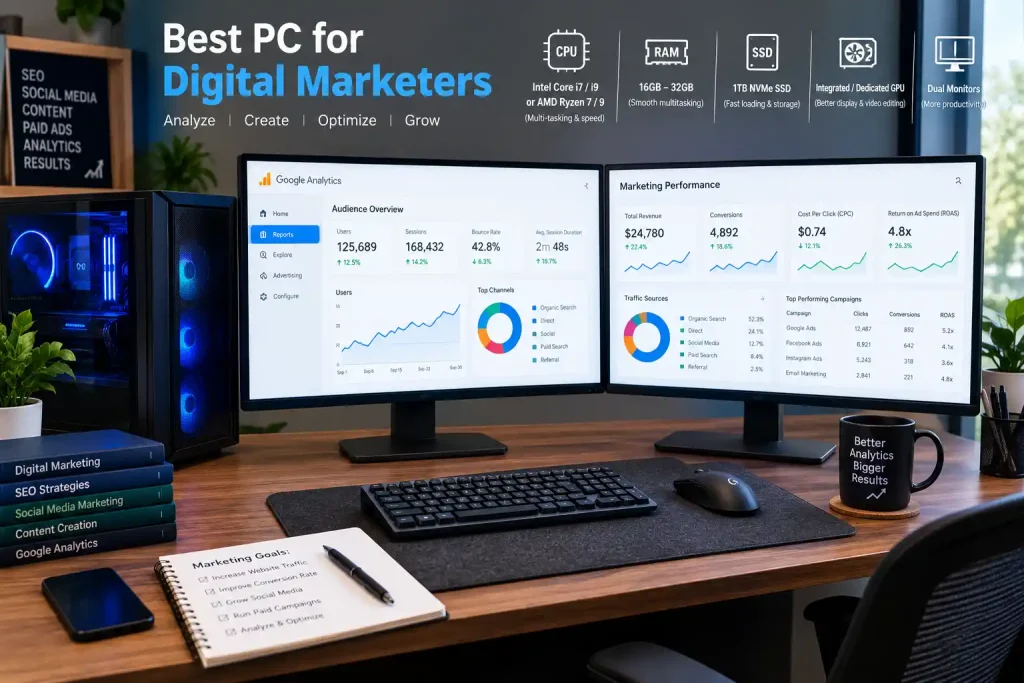
The best PC for digital marketers has at least 16GB of RAM, a fast NVMe SSD, and a modern processor. This setup can handle 20 to 40 browser tabs, analytics dashboards, design tools, and video calls at the same time without lag.
Digital marketers do many things at once. You may run ads, check Google Analytics, write content, audit a website, and join a client call in the same hour. This kind of work is not heavy like gaming, but it never stops. A slow PC wastes your time every single day.
In this guide, you will learn which PC fits your work, how much RAM, CPU, and GPU you really need, and which models are worth buying in 2026.
Quick Answer: What Is the Best PC for Digital Marketers?
- Best overall: Apple Mac Mini M4. It is fast, quiet, small, and works well for most marketing tasks.
- Best for design and social media: Apple iMac 24-inch (M4). It has a built-in screen, so you save desk space.
- Best Windows desktop for multitasking: Dell XPS Desktop 8960.
- Best budget option: Acer Aspire TC Desktop.
- Best for video and AI tools: Skytech Chronos Desktop.
Specs and prices change often. Always check the exact RAM, CPU, and SSD in the version you buy.
Top 9 PCs for Digital Marketers at a Glance
| PC Model | Best For | Level |
|---|---|---|
| Apple Mac Mini M4 | Content creation and marketing automation | Mid-range |
| Apple iMac 24-inch (M4) | Social media management and design work | Mid-range |
| Dell XPS Desktop 8960 | SEO, PPC, and heavy multitasking | Mid to high |
| HP Envy Desktop TE01 | Everyday digital marketing tasks | Mid-range |
| Lenovo ThinkCentre M90t | Agency workflows and productivity | Mid to high |
| ASUS ExpertCenter D7 | Email marketing and CRM work | Budget to mid |
| Acer Aspire TC Desktop | Budget-friendly marketing setup | Budget |
| MSI Pro DP180 | Analytics, reporting, and automation | Mid-range |
| Skytech Chronos Desktop | AI tools, video, and heavy multitasking | High-end |
Why Digital Marketers Need a Good PC
Most marketing tools run in the browser. That sounds light, but it adds up fast.
- SEO work: Tools like Ahrefs and Semrush open many tabs, and each tab uses RAM.
- Paid ads: Google Ads and Meta Ads Manager refresh data all the time, so you need a responsive CPU.
- Analytics: Google Analytics and Looker Studio load large reports, so you need fast storage and enough memory.
- Design: Canva and Photoshop need more RAM and a good processor for smooth previews.
- Video and AI: Premiere Pro, After Effects, and AI tools need a strong CPU, more RAM, and often a dedicated GPU.
A weak PC makes every one of these tasks slower. A balanced PC saves you hours every month.
What to Look for in a PC for Digital Marketing
1. RAM (the most important spec)
RAM decides how many tabs and apps you can keep open. For light work, 16GB is the minimum in 2026. If you run 40 or more tabs with design tools, choose 32GB. Agencies and video teams should look at 32GB to 64GB.
2. CPU
Choose a modern processor such as Intel Core Ultra 5 or 7, AMD Ryzen 5 or 7, or an Apple M-series chip. More cores help when many apps run together.
3. Storage
Always choose an NVMe SSD. 512GB is enough for beginners. 1TB or more is better if you save videos, images, and client files.
4. GPU (graphics card)
Most marketers do not need a dedicated GPU. Built-in graphics are fine for SEO, ads, writing, and Canva. You only need a dedicated GPU, such as an RTX 4060 or better, for video editing, motion graphics, or local AI work.
5. Ports and monitor support
Many marketers use two monitors. Check that the PC supports two or more displays and has enough USB and HDMI or DisplayPort ports.
How Much RAM, CPU, and GPU Do You Need?
| Your Work | RAM | CPU | GPU | Storage |
|---|---|---|---|---|
| SEO, blogging, light social media | 16GB | Core i5 / Ryzen 5 | Built-in | 512GB SSD |
| Ads, analytics, Canva, 20+ tabs | 16–32GB | Core Ultra 5–7 / Ryzen 7 / M4 | Built-in | 512GB–1TB SSD |
| Photoshop, light video, AI tools | 32GB | Core Ultra 7 / Ryzen 7 / M4 Pro | Entry dedicated GPU | 1TB SSD |
| Agency, video ads, automation | 32–64GB | Ryzen 7–9 / Core Ultra 7–9 | RTX 4070 or higher | 1TB+ NVMe SSD |
Best Budget PCs for Beginners and Freelancers
This level is good for SEO, blogging, email marketing, and basic social media work. You mainly need enough RAM and a fast SSD.
Acer Aspire TC Desktop
- Best for: A low-cost marketing setup.
- Why it works: It handles browsers, Google Docs, WordPress, and scheduling tools well when you pick a version with 16GB RAM and an SSD.
- Watch out for: Some base models come with only 8GB RAM. Upgrade or choose a higher version.
ASUS ExpertCenter D7
- Best for: Email marketing and CRM tools like HubSpot.
- Why it works: It is a business-style desktop built for daily office work and steady performance.
- Watch out for: It is not made for video editing or heavy design.
HP Envy Desktop TE01
- Best for: Everyday marketing tasks.
- Why it works: It offers a good balance of speed and price, and is easy to set up for daily work.
- Watch out for: Check the RAM and storage in each version before buying.
Best Mid-Range PCs for Professional Marketers
This level is made for people who run many tools at once: ads, dashboards, Canva, Photoshop, and 20 or more tabs.
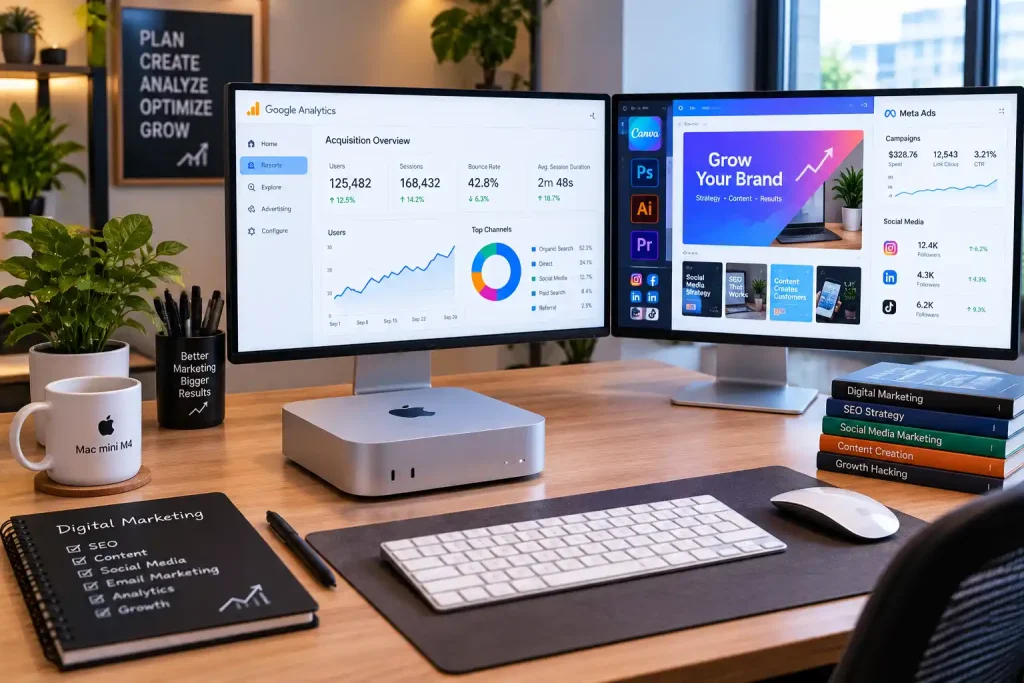
Apple Mac Mini M4
- Best for: Content creation and marketing automation.
- Why it works: The M4 chip is fast and uses little power. The Mac Mini is small, quiet, and a strong value for the performance. It runs Chrome, Photoshop, Canva, and Final Cut smoothly.
- Watch out for: You must buy your own monitor, keyboard, and mouse. RAM cannot be upgraded later, so choose enough RAM when you buy.
Apple iMac 24-inch (M4)
- Best for: Social media managers and designers.
- Why it works: The 4.5K display is sharp and has accurate color, which helps when you review ad creatives and social posts. It is an all-in-one, so your desk stays clean.
- Watch out for: You cannot upgrade it, and a repair costs more than on a normal desktop.
Dell XPS Desktop 8960
- Best for: SEO, PPC, and heavy multitasking.
- Why it works: It is a strong Windows desktop with room to upgrade RAM and storage later.
- Watch out for: It is larger than a mini PC and costs more than basic desktops.
MSI Pro DP180
- Best for: Analytics, reporting, and automation.
- Why it works: It is a compact business PC that handles dashboards, spreadsheets, and tools like Zapier without trouble.
- Watch out for: It has limited graphics power, so it is not ideal for video.
Best High-End PCs for Agencies, Video, and AI Marketing
Choose this level if you edit video ads, run local AI tools, handle large data, or work with a team all day.
Lenovo ThinkCentre M90t
- Best for: Agency workflows and productivity.
- Why it works: It is a reliable, business-grade tower with strong CPU options and good upgrade space.
- Watch out for: It is built for work, not for style or heavy gaming graphics.
Skytech Chronos Desktop
- Best for: AI tools, video editing, and heavy multitasking.
- Why it works: It usually comes with a dedicated GPU and a strong CPU, which helps with rendering and encoding.
- Watch out for: It uses more power, makes more noise, and costs more.
CyberPowerPC Gamer Xtreme
- Best for: Video editing and creative marketing.
- Why it works: Gaming PCs have strong GPUs and cooling, which also help with video export and motion graphics.
- Watch out for: Some builds focus on looks and lights. Check the parts list before you buy.
Windows PC vs Mac for Digital Marketers
| Point | Windows PC | Mac |
|---|---|---|
| Upgrades | Easy to upgrade RAM and storage | Mostly fixed after purchase |
| Price range | Wide, from budget to high-end | Mid to high |
| Creative apps | Works well with Adobe and Canva | Works very well with Adobe, Final Cut, and Canva |
| Power use | Higher on many models | Very efficient |
| Best for | Custom builds and budget buyers | Designers, creators, and Apple users |
If you work mostly in the browser, both options work. Pick Windows if you want upgrades and choice. Pick Mac if you want a smooth, quiet, all-round setup.
Should You Build a Custom PC?
Yes, if you want full control. A custom PC lets you spend money only on the parts you need. For example, you can put more money into RAM and storage and skip the GPU if you do not edit video.
A good custom build for a marketing workstation looks like this:
- CPU: Ryzen 7 or Intel Core Ultra 7
- RAM: 32GB DDR5
- GPU: RTX 4060 or higher (only if you edit video or use AI tools)
- Storage: 1TB NVMe SSD
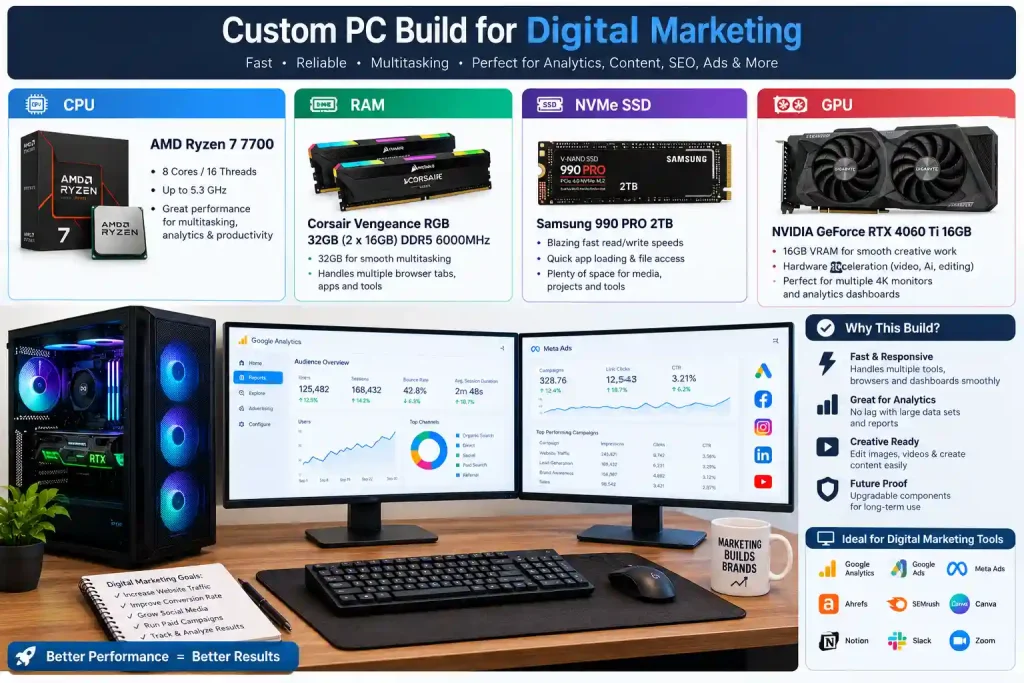
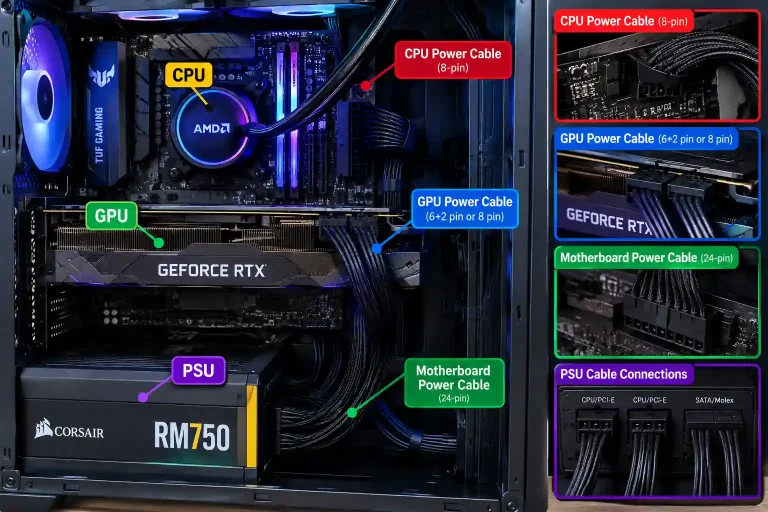
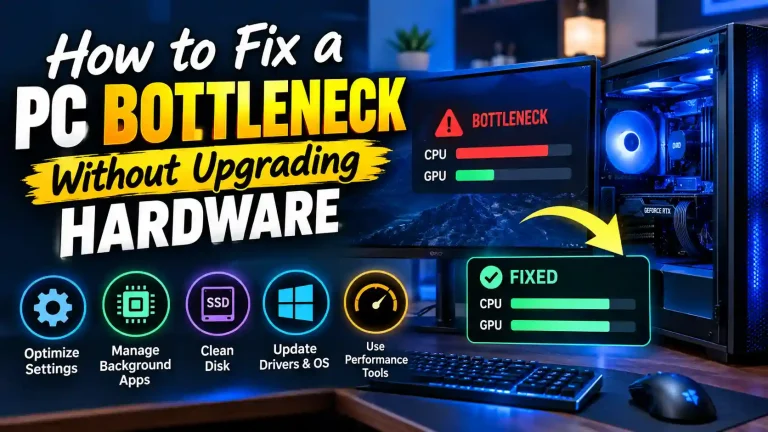
Before you choose parts, check if your CPU and graphics card work well together. A mismatch can waste money and slow you down. You can use a PC bottleneck calculator to see if your CPU or GPU is holding the other back.
Can You Upgrade a PC Later?
Usually yes, but it depends on the type. Normal tower desktops let you add RAM, a bigger SSD, and a GPU. Mini PCs and all-in-ones like the Mac Mini and iMac are limited, so buy the right RAM from the start. If you plan to upgrade your current PC, run it through a PC bottleneck calculator first to see which part to replace.
How to Choose the Right PC for Your Work
- List your daily tools. Write down every app you use in a normal day.
- Count your tabs and apps. More than 30 tabs means you need 32GB RAM.
- Check for heavy tasks. Video, large images, or AI tools mean you need a strong CPU and GPU.
- Set a budget. Spend more on RAM and SSD before spending on extra features.
- Plan for growth. If your workload will grow, pick a PC that you can upgrade.
Frequently Asked Questions
Which CPU is best for multitasking in digital marketing?
A modern 6 to 8 core CPU works well. Good choices are Intel Core Ultra 5 or 7, AMD Ryzen 5 or 7, and Apple M4. More cores help when you run many apps and tabs together.
Which components make a PC ideal for digital marketing?
The most important parts are enough RAM (16GB or more), a fast NVMe SSD, and a modern CPU. A dedicated GPU is needed only for video editing, motion graphics, or AI work.
Can I upgrade a budget PC later for heavier tasks?
Yes, if it is a tower desktop. You can usually add more RAM, a larger SSD, and sometimes a graphics card. Small PCs and all-in-ones are harder or impossible to upgrade.
What is the minimum RAM I need for digital marketing work?
16GB is the safe minimum in 2026. 8GB can work for very light tasks, but it will slow down quickly with many tabs open. Choose 32GB for heavy multitasking.
Do I need a dedicated GPU for digital marketing?
No, most marketers do not. Built-in graphics are enough for SEO, ads, writing, social media, and Canva. You need a dedicated GPU only for video editing, 3D work, or local AI tools.
Can I run tools like Canva and Photoshop on a budget PC?
Yes. Canva runs in the browser and works fine on a budget PC with 16GB RAM. Photoshop also runs, but large files may feel slow. For smoother work, choose 16GB RAM or more and a good SSD.
Are desktops better than laptops for digital marketing?
Desktops give you more power for the price, better cooling, and easier upgrades. Laptops are better if you travel or work from many places. If you work from one desk, a desktop is usually the better value.
How do I choose the right PC for my workload?
Start with your daily tools. Light work needs 16GB RAM and an SSD. Heavy design or video work needs 32GB RAM or more and a dedicated GPU. Then set a budget and choose the model that fits.
Conclusion
There is no single best PC for every digital marketer. The right choice depends on your work and your budget.
- Beginners and freelancers: Choose a budget desktop with 16GB RAM and an SSD.
- Professional marketers: The Apple Mac Mini M4 or Dell XPS Desktop 8960 is a strong pick.
- Agencies and video creators: Choose a high-end PC with 32GB or more RAM and a good GPU.
Focus on RAM and storage first. They make the biggest difference to your daily speed. Then match the CPU and GPU to your tasks, and your PC will stay fast for years.
Official requirements to check before you buy: Adobe – Premiere Pro system requirements; Adobe – Photoshop system requirements.