Does Overclocking Increase FPS? Real Gains, Risks and How to Do It (2026)
Yes, overclocking can increase FPS, but usually only by a small amount. A stable GPU overclock on a modern graphics card often adds a few percent, not a big jump. In one TechPowerUp test of an RTX 4070, manual overclocking added 4.8% real 3D performance. A CPU overclock mostly helps when the game is limited by the processor, not the graphics card. It is a free boost, but it adds heat, power draw and some warranty risk.
Before you overclock, find out which part is holding you back. Check your CPU and GPU pairing in our free bottleneck calculator.
Last updated: November 2026
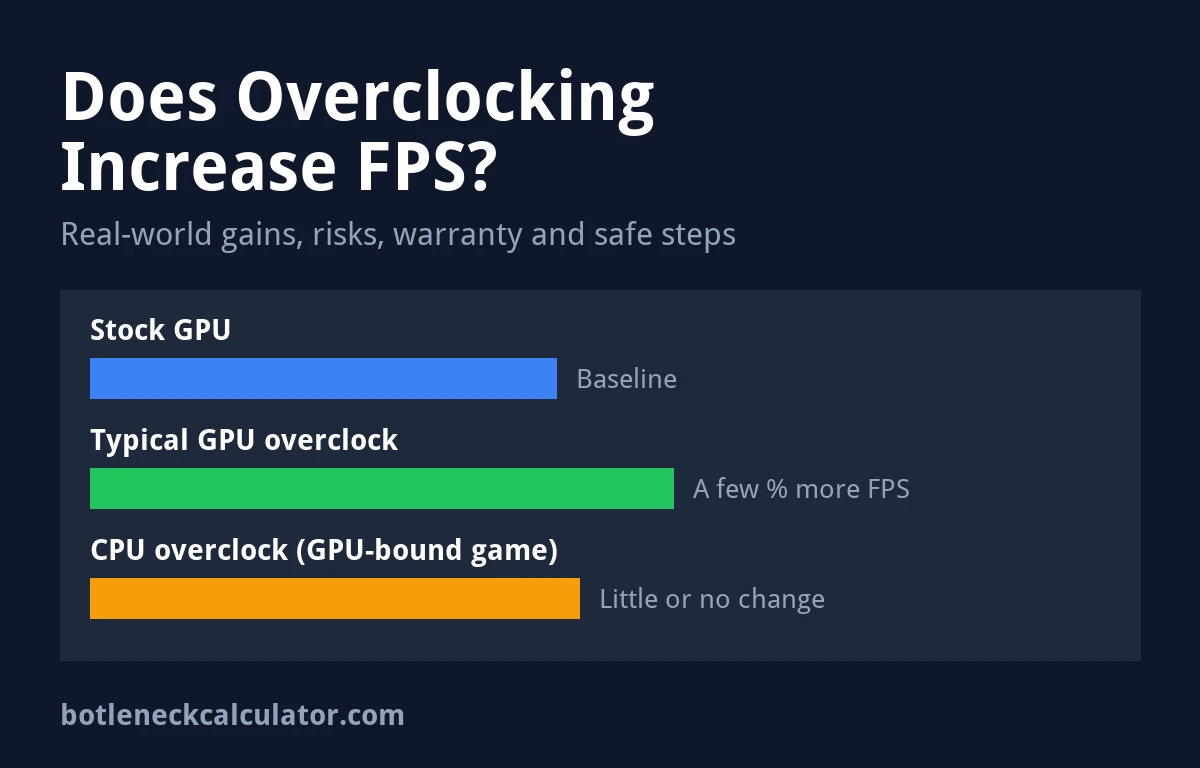
Table of ContentsShow or hide all 9 sectionsShowHide
Quick answer: key facts about overclocking and FPS
- GPU overclocking raises the core and memory clock of your graphics card. It helps most in games where the GPU is at or near 100% usage.
- Gains are small. TechPowerUp measured a 4.8% gain from manual overclocking on an ASUS RTX 4070 TUF. Every card is different because of normal production differences.
- CPU overclocking helps mostly in CPU-bound games, high refresh rate esports titles, and at 1080p. On Intel, only K, KF and X processors can be overclocked with Intel XTU.
- Warranty risk is real. Intel says changing clocks or voltage may void warranties. AMD says its warranty does not cover damage caused by overclocking.
- Free tools exist. MSI Afterburner works with most NVIDIA and AMD cards and has an automatic OC Scanner.
Does overclocking increase FPS in games?
It can. A frame rate is limited by the slowest part in the chain. If your graphics card is that slowest part, making it run faster lets it draw more frames per second. If your CPU is the slowest part, a faster GPU will not help much, because the GPU is already waiting for the processor.
This is why the same overclock can give a clear gain in one game and almost nothing in another. A demanding game at 1440p or 4K usually leans on the GPU. A fast esports shooter at 1080p with low settings often leans on the CPU. Learn how to spot the difference in our guide to CPU bottlenecks and our article on low GPU usage in games.
| Your situation | What to overclock | Expected result |
|---|---|---|
| GPU usage near 100%, CPU has headroom | Graphics card | A small FPS gain, often a few percent |
| GPU usage low, one or more CPU threads maxed | Processor (if unlocked) or RAM | Can help average FPS and 1% lows |
| FPS already at your monitor refresh rate cap | Nothing | No visible benefit on screen |
| Laptop or small case running hot | Nothing, or try undervolting | Overclocking may cause throttling |
The table is our own advice, based on how bottlenecks work and the sources listed at the end of this article.
How much FPS does overclocking a GPU give?
Expect a small boost. In its review of the ASUS GeForce RTX 4070 TUF, TechPowerUp reached an average GPU clock of 2,927 MHz and wrote that the actual 3D performance gained from overclocking was 4.8%. TechPowerUp also notes that each card will overclock slightly differently because of random production variances. Two identical models can reach different clocks.
What does that mean in a game? A 5% gain turns 60 FPS into about 63 FPS, or 100 FPS into about 105 FPS. That is simple math, not a test result. It is nice to have, but it will not turn an unplayable game into a smooth one. If you need a big jump, lowering settings, using DLSS, FSR or XeSS upscaling, or upgrading the card will do much more. You can estimate frame rates for different parts with our FPS calculator.
One reason gains are small today: modern NVIDIA and AMD cards already boost their clocks on their own when there is power and temperature headroom. Many cards sold as “OC” models also ship with a factory overclock. A manual overclock squeezes out what is left.
Does overclocking a CPU increase FPS?
Only when the CPU is the limit. In GPU-bound games, a faster processor changes very little. In CPU-heavy games, such as large strategy games, simulators and competitive shooters at high frame rates, extra CPU speed can lift average FPS and 1% lows.
Not every CPU can be overclocked. Intel says its Extreme Tuning Utility (XTU) only works for overclocking on processors with K, KF or X in the name. AMD Ryzen chips are managed with Ryzen Master, which also offers Precision Boost Overdrive (PBO). AMD says PBO needs a 3rd Gen Ryzen or newer processor and a supported motherboard, and that it runs the processor outside of specifications. You also need a motherboard chipset that allows overclocking.
CPU overclocking adds heat quickly. Keep an eye on temperatures with our guide to normal CPU temperatures.
Is overclocking safe for your GPU and CPU?
A mild overclock that stays within the limits set by the card or the software is generally low risk, but it is never zero risk. Digital Trends warns that overclocking can bring higher heat, crashes and reduced hardware lifespan, and that raising voltage can shorten card life or cause damage if misused. MSI also says changes are made at your own risk.
- Heat: more clock speed means more power and more heat. You may need a stronger fan curve. Compare your readings with our GPU temperature range guide.
- Power: higher clocks raise power draw. MSI recommends using separate PSU cables for each GPU power connector, because power spikes can trip the PSU protection. Check your headroom with our PSU wattage guide.
- Laptops: Digital Trends says overclocking a laptop GPU is generally not recommended because of temperatures.
- Voltage: core voltage control is off by default in MSI Afterburner. Leave it alone unless you know what you are doing.
Does overclocking void your warranty?
It can. Intel states that altering clock frequency or voltage may void any product warranties, and that its technology may be able to detect such changes. AMD states that its product warranty does not cover damages caused by overclocking, even when AMD hardware or software enables it, and that using PBO invalidates the AMD product warranty. For graphics cards, the rules depend on the card maker, so check your brand’s warranty terms before you start.
How to overclock your GPU safely with MSI Afterburner
These steps follow MSI’s own Afterburner guide and Digital Trends’ overclocking guide. Download Afterburner only from msi.com or Guru3D, as MSI advises.
- Update your driver and close other apps. See how to update GPU drivers.
- Record a baseline. Note your stock clocks, temperatures and a benchmark score or in-game FPS.
- Raise the power limit and temperature limit sliders to their maximum and click Apply.
- Try OC Scanner first. MSI says the scan takes about 30 minutes and creates an automatic overclock curve.
- Or overclock manually. Raise the core clock in small steps (MSI suggests 20 to 30 MHz, Digital Trends 10 MHz) and test after each step.
- Overclock the memory next, in steps of 50 to 100 MHz, as MSI suggests. If you see glitches, lower it by 10 MHz.
- Stress test. Run Unigine Heaven, Valley or FurMark, then play real games. Watch for artifacts, flickering, crashes and worse 1% lows.
- Back off a little for long-term stability, then save the setting to a profile.
If the system freezes, hold the power button to shut down, then reset Afterburner to default (MSI lists Ctrl+D as the reset shortcut). To track clocks, usage and temperatures while you test, follow our guide on how to monitor PC performance.
Is undervolting better than overclocking?
They do different jobs. Overclocking aims for more speed. Undervolting aims for the same or similar speed at lower voltage, which can mean less heat, less fan noise and lower power use. MSI notes that undervolting can reduce FPS or cause worse 1% lows if pushed too far. Our advice: if your card runs hot or loud, or you game on a small PC, try undervolting first. If your card is cool and you want every last frame, try a mild overclock.
Want more performance without risk? Our guide on fixing a PC bottleneck without upgrading covers settings and Windows tweaks that can help too.
Sources: TechPowerUp – ASUS GeForce RTX 4070 TUF Review: Overclocking; MSI – Afterburner Overclocking and Undervolting Guide; Intel – Extreme Tuning Utility Support; AMD – Ryzen Master; Digital Trends – How to Overclock Your GPU.
Frequently asked questions
Does overclocking increase FPS?
Yes, but usually by a small amount. A stable GPU overclock often adds a few percent. TechPowerUp measured 4.8% on an RTX 4070 TUF.
Is it worth overclocking a GPU for gaming?
It can be, if your card runs cool and the game is GPU-bound. It is free, but the gain is small, so do not expect it to replace an upgrade.
Does overclocking a CPU help FPS?
Only in CPU-bound games, such as strategy games or esports titles at high frame rates. In GPU-bound games the change is very small.
Can overclocking damage my graphics card?
A mild overclock within software limits is low risk. Raising voltage and running high temperatures for a long time can shorten the life of the card.
Does overclocking void the warranty?
It may. Intel says changing clocks or voltage may void warranties, and AMD does not cover damage caused by overclocking. GPU makers set their own rules.
Does overclocking RAM increase FPS?
It can help in CPU-bound games, mainly 1% lows. The easiest safe step is enabling your RAM’s XMP or EXPO profile in the BIOS.