Can Motherboard PCB Quality Affect PC Stability?
Yes. Motherboard PCB quality affects PC stability because the board carries power and data between your CPU, RAM, GPU and storage. Weak copper traces, poor solder joints, cracks or a weak VRM can cause random shutdowns, crashes, failed boots and CPU throttling.
Before you blame the board, rule out RAM, PSU, heat and BIOS settings. Then check your CPU and GPU balance with our free bottleneck calculator.
Quick answer: key facts about motherboard PCB quality
- Yes, it matters. A bad PCB can cause crashes, restarts, failed boots and throttling.
- Four things decide stability: signal integrity, VRM power delivery, copper traces and solder quality.
- More layers is not better by default. A good six-layer board can beat a poor eight-layer one.
- Rule out cheaper causes first: RAM, PSU, heat and BIOS settings fail far more often than the PCB.
- Cracked boards are rarely worth repairing. Replace the board and install the new one carefully.
What Is a Motherboard PCB?
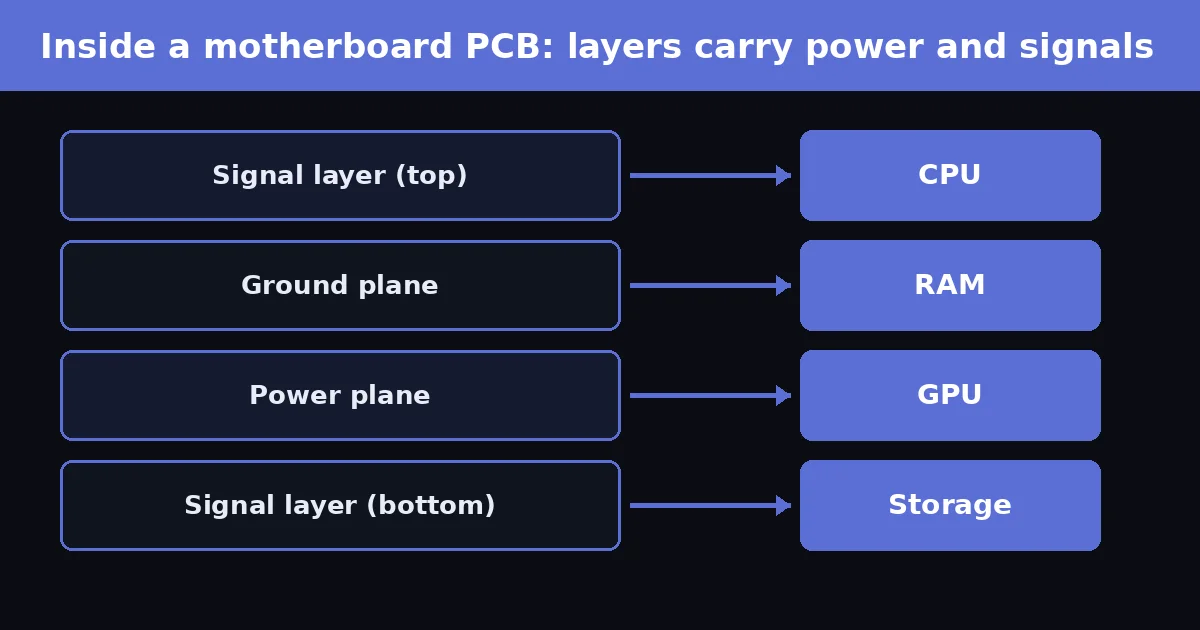
A motherboard PCB (printed circuit board) is the layered board that holds the CPU socket, RAM slots, PCIe slots and connectors. It is made of insulating material and thin copper traces. These traces carry power and high-speed signals between components, so the build quality of the board decides how cleanly that power and data arrive.
In short: the PCB is the road system of your PC. A damaged or badly made road causes delays, wrong turns and crashes, even when the CPU and GPU are fine.
How PCB Quality Affects PC Stability
Four parts of the board matter most. Each one can cause instability on its own.
| Factor | What it does | What goes wrong |
|---|---|---|
| Signal integrity | Keeps DDR5 and PCIe signals clean through controlled trace length, spacing and grounding. | Memory training fails, PCIe link errors, random blue screens. |
| Power delivery (VRM) | Converts PSU power into the low, stable voltage the CPU needs. | Overheating VRM, CPU throttling, shutdowns under load. |
| Copper traces and vias | Connect every layer and component. | Thin or cracked copper adds resistance and causes intermittent faults. |
| Solder and assembly | Fixes sockets, slots and connectors to the board. | Cold solder joints cause devices that disappear, reboot or fail at random. |
Voltage regulation and CPU throttling
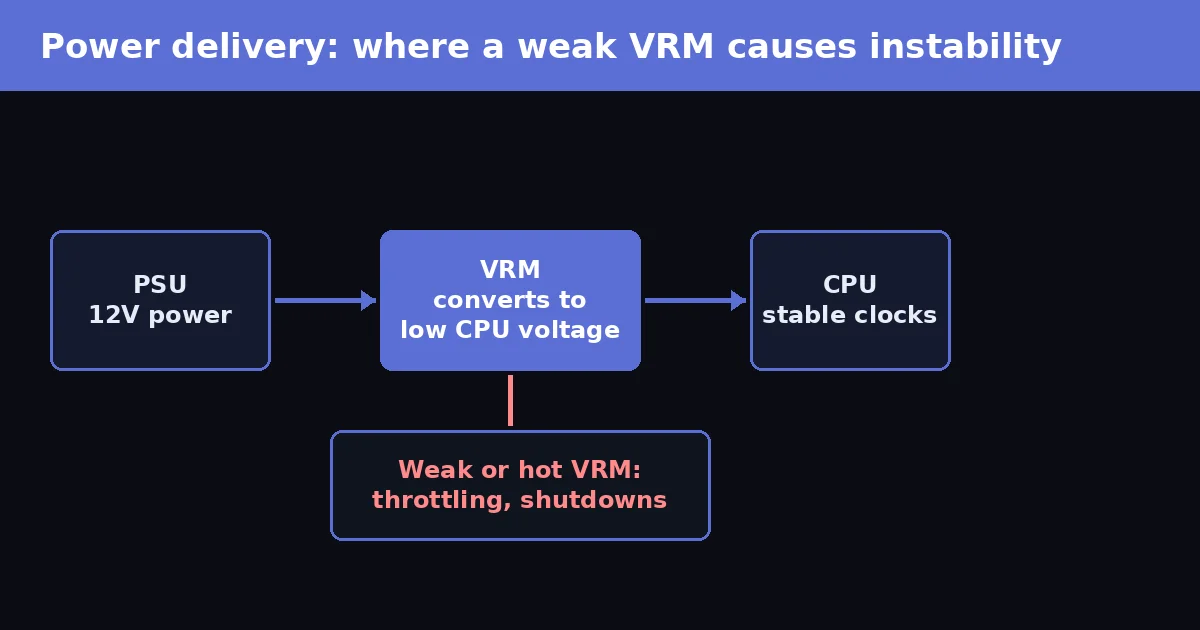
The VRM supplies current to the CPU. If it is too weak or too hot, the CPU lowers its clock speed to stay within safe limits. A board that runs a mid-range CPU well can struggle with a high-power CPU during rendering or long gaming sessions. For a high-power processor, VRM cooling matters more than RGB or heatsink styling.
Signal integrity at high speed
DDR5 and PCIe 4.0 or 5.0 run at very high speeds, so small routing or manufacturing flaws matter more than they did on older boards. This is one reason an unstable XMP or EXPO memory profile can crash one board but run fine on another.
Physical damage
Bending, over-tightened screws, a wrong standoff or forcing a card into a slot can crack internal traces. The damage is often invisible from the surface and shows up later as random errors.
VRM Phases: A Real Example
VRM phases split the CPU’s current across several power stages, so each stage runs cooler. Board makers write this as “8+1” or “14+1” (CPU phases + SoC phases). Here is how it plays out in practice.
| Setup | Typical result |
|---|---|
| Budget board, 6 to 8 phases, no VRM heatsink, high-power CPU | VRM gets very hot during long loads and the CPU throttles. |
| Mid-range board, 12 to 14 phases, large heatsink, same CPU | Cooler VRM and steadier clocks in rendering and gaming. |
Phase count alone is not enough. Quality of the power stages and the heatsink matters as much, so read VRM temperature tests in independent reviews before you buy.
Do More PCB Layers Mean a Better Board?
No. Modern boards commonly use 4 to 8 layers or more, and extra layers give designers more room for power, ground and signal routing. But layer count is not a quality score. A well-designed six-layer board can be more stable than an eight-layer board with poor plating, weak VRM design or bad assembly. Judge a board by its VRM, cooling, memory support list and reviews, not by layer count alone.
Symptoms of a Bad Motherboard PCB
| Symptom | Possible PCB cause | Other causes to rule out first |
|---|---|---|
| Random restarts or shutdowns | VRM failure, damaged power traces | Failing PSU, overheating |
| Blue screens or freezes | Signal errors, damaged memory traces | Bad RAM, drivers, unstable overclock |
| Failed boot or memory training | Bad RAM slot or memory routing | Wrong XMP or EXPO, outdated BIOS |
| Drives or GPU not detected | Damaged M.2 or PCIe slot | Loose cable, dust, bad drive or card |
| CPU speed drops under load | Weak or hot VRM | Poor CPU cooler, power limits in BIOS |
| Visible crack, burn mark or bulge | Physical board damage | None. Stop using the board. |
No single symptom proves the PCB is bad. Test the cheaper causes first.
PCB Problems vs Bottlenecks
Instability means crashes, freezes and failed boots. A bottleneck means one part limits another, such as a CPU holding back a GPU. A weak VRM or shared PCIe lanes can cause a bottleneck, but a normal bottleneck does not damage hardware and does not crash your PC.
If your PC is stable but FPS is low, run your parts through the bottleneck calculator and confirm with real usage numbers using our guide on monitoring PC performance while gaming.
How to Diagnose the Problem Step by Step
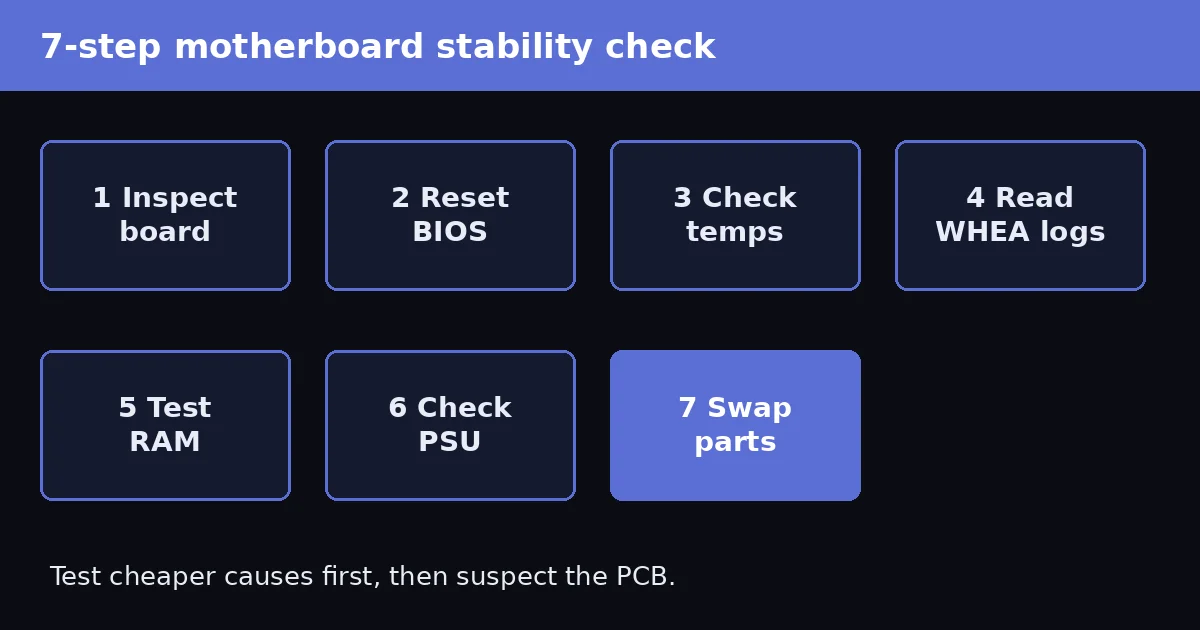
- Inspect the board. Power off and unplug the PSU. Check around the CPU socket, RAM slots, PCIe slot, M.2 slots and power connectors for cracks, burn marks, bent pins or bulging capacitors.
- Reset the BIOS. Load safe defaults and turn off CPU and memory overclocking, XMP and EXPO.
- Check temperatures. Watch CPU and VRM heat under load with HWiNFO. See normal CPU temperatures for safe ranges.
- Read Windows hardware errors. Open Event Viewer, go to Windows Logs, then System, and look for WHEA-Logger events. Microsoft documents these in its WHEA driver documentation. They point to hardware errors but do not prove the motherboard is faulty.
- Test RAM. Run MemTest86, one stick at a time if needed.
- Check the PSU. An unstable power supply copies motherboard faults. Confirm your wattage with the PSU wattage calculator, stress test with OCCT, and try a known-good PSU if possible.
- Swap parts. Test the same CPU, RAM and GPU in another board, or another set of parts in your board.
Can a Damaged PCB Be Repaired?
Rarely. A skilled technician can sometimes fix a single broken trace or a lifted pad, but a cracked board often has hidden internal damage. On most consumer PCs, replacing the motherboard is cheaper and safer than repair. If the board is under warranty, contact the manufacturer before opening or modifying it.
How to Prevent Motherboard Stability Problems
- Match the board to your CPU: check the CPU support list, VRM cooling and BIOS version on the maker’s website.
- Check the memory qualification list before you buy fast DDR5 kits. Kingston and other RAM makers publish compatibility tools.
- Use the correct case standoffs and never add an extra one under a missing hole.
- Support the board when you plug in tight cables, and never force RAM or a GPU into a slot.
- Keep airflow over the VRM and chipset, and clean dust regularly.
- Test at stock settings first, then add overclocks one at a time.
- Do not choose a board by layer count or price alone.
Conclusion
Motherboard PCB quality directly affects PC stability. Good copper work, solid soldering, clean signal paths and a strong VRM keep power and data steady, while defects and physical damage cause crashes and throttling. Rule out RAM, PSU, heat and BIOS settings first, then inspect the board. When you buy, choose a board that fits your CPU and memory, and install it carefully.
Frequently Asked Questions
Can a poor-quality motherboard PCB cause random PC crashes?
Yes. Weak solder joints, damaged traces and unstable power delivery can cause random crashes, restarts and freezes. Faulty RAM, a failing PSU, overheating and BIOS settings cause the same symptoms, so rule those out first.
Does a motherboard with more PCB layers provide better stability?
Not automatically. More layers help routing and noise control, but a well-designed six-layer board can be more stable than a poorly built eight-layer board.
Can motherboard PCB quality affect CPU and GPU performance?
Yes. A weak VRM can force the CPU to throttle, and a damaged PCIe slot or shared lanes can reduce GPU link speed or cause errors under load.
How can I tell if my motherboard PCB is damaged?
Look for cracks, bending, burn marks or bulging parts near the RAM slots, PCIe slot, CPU socket and power connectors. Then check Event Viewer for WHEA-Logger errors and test RAM and PSU.
Can a cracked motherboard PCB be repaired?
Rarely. A technician may repair one broken trace, but cracked boards can have hidden internal damage. Replacement is usually safer and cheaper.
How do I prevent motherboard-related stability problems?
Choose a board with VRM cooling that fits your CPU, check the memory support list, use the correct standoffs, never force parts into slots and test at stock BIOS settings first.