Is a 20% Bottleneck Bad? Bottleneck Percentage Explained
A bottleneck under 10% is good, 10–20% is a minor imbalance most players never notice, 20–30% is noticeable in CPU-heavy games, and above 30% one part is clearly holding the other back. So a 20% bottleneck is not bad by itself. It only matters if you are missing your target FPS, if the CPU is the limiting part, or if your GPU usage stays well below 95% in real games.
This guide gives a quick answer for every common percentage, shows why the same PC can score 5% in one game and 40% in another, and explains when a bottleneck is worth fixing. To get your own number, run your parts through our free bottleneck calculator.
Last updated: November 2026
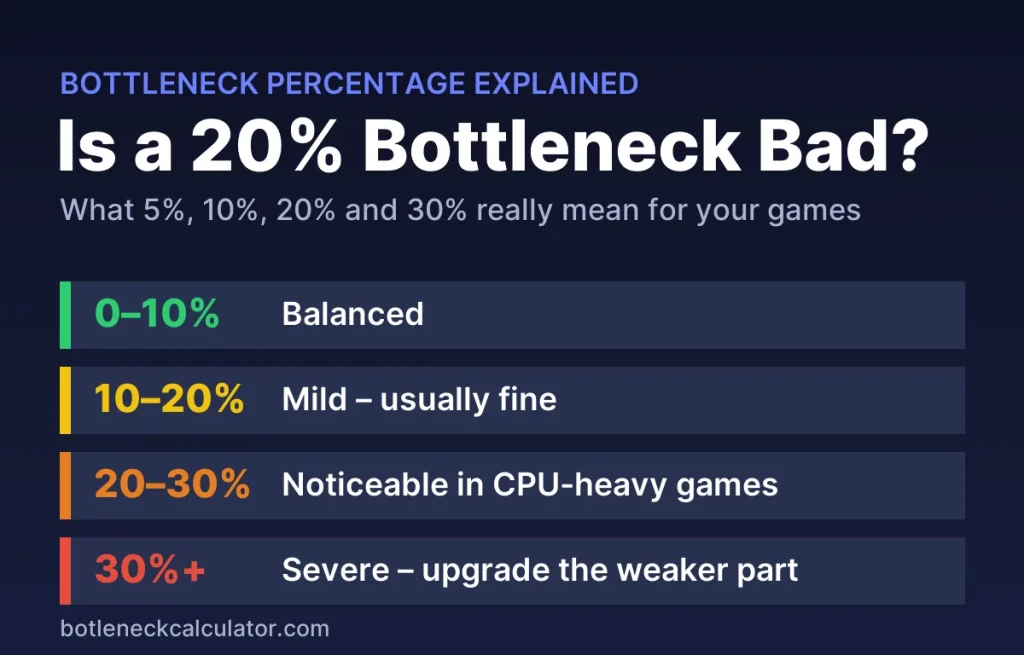
Table of ContentsShow or hide all 9 sectionsShowHide
Bottleneck percentage chart
| Bottleneck | Rating in our calculator | Is it bad? | What to do |
|---|---|---|---|
| 0–5% | Perfect match | No | Nothing |
| 5–10% | Excellent | No | Nothing |
| 10–20% | Mild | Usually not | Adjust settings if you want |
| 20–30% | Moderate | Sometimes, in CPU-heavy games | Try free fixes, plan an upgrade if FPS is too low |
| 30%+ | Severe | Yes, if the CPU is the limit | Upgrade the weaker part |
Is a 5%, 10%, 20% or 30% bottleneck bad?
Is a 5% bottleneck bad?
No. A 5% bottleneck means your CPU and graphics card are almost perfectly matched. Every PC has some bottleneck, because one part always reaches its limit first. You will not see a difference in games.
Is a 10% bottleneck bad?
No. 10% is the line PCWorld and HP use as a healthy balance, and it is still rated Excellent in our calculator. You are getting nearly all of your graphics card’s performance.
Is a 15% bottleneck bad?
Not really. At 15% you may lose a few frames in CPU-heavy games at 1080p, but most players never notice. No upgrade is needed.
Is a 20% bottleneck bad?
Usually not. A 20% bottleneck is the top of the mild range. If the graphics card is the limiting part, it is completely fine. If the CPU is the limit, you may see GPU usage drop below 90% and weaker 1% lows in games like Warzone, Fortnite or Counter-Strike 2. Check whether you reach your target FPS before you spend money.
Is a 25% bottleneck bad?
It is noticeable. Expect lower and less stable FPS in CPU-heavy games. Try the free fixes below first, then plan an upgrade if you still miss your target FPS.
Is a 30% bottleneck bad?
Yes, if the CPU is the limit. At 30% or more one part is clearly holding the other back, and you are paying for graphics card performance you cannot use. Upgrading the weaker part usually gives a clear FPS gain.
Is a 40% or 50% bottleneck bad?
A CPU bottleneck of 40–50% is serious. It usually means a much older processor paired with a new high-end graphics card, for example a Core i5-9400F with an RTX 5070 in esports games at 1080p. Expect stutter and FPS far below your monitor’s refresh rate. The exception is a graphics card limit at 4K, which is normal (see below).
Why the same PC can show 5% or 40%
A bottleneck percentage is not a fixed property of your hardware. It changes with the game and the resolution. At 1080p the graphics card finishes frames quickly, so the CPU becomes the limit. At 4K the graphics card does much more work per frame, so it becomes the limit. Esports games lean on the CPU, while open-world games lean on the graphics card.
Here is one popular build, a Ryzen 5 5600 with an RTX 4070, in our calculator:
| Game type | 1080p | 1440p | 4K |
|---|---|---|---|
| Open world (Cyberpunk 2077, RDR2) | 12% CPU | 8% GPU | 31% GPU |
| Battle royale (Warzone, Fortnite) | 28% CPU | 14% CPU | 16% GPU |
| Esports (CS2, Valorant) | 42% CPU | 34% CPU | 14% CPU |
The same PC goes from 8% to 42%. That is why you should always check the score at the resolution and in the type of game you actually play. A high CPU bottleneck in esports games often still means very high FPS, because those games run at hundreds of frames per second.
CPU bottleneck or GPU limit: which one matters?
The percentage only tells you how far apart the two parts are. Which part is the limit matters just as much.
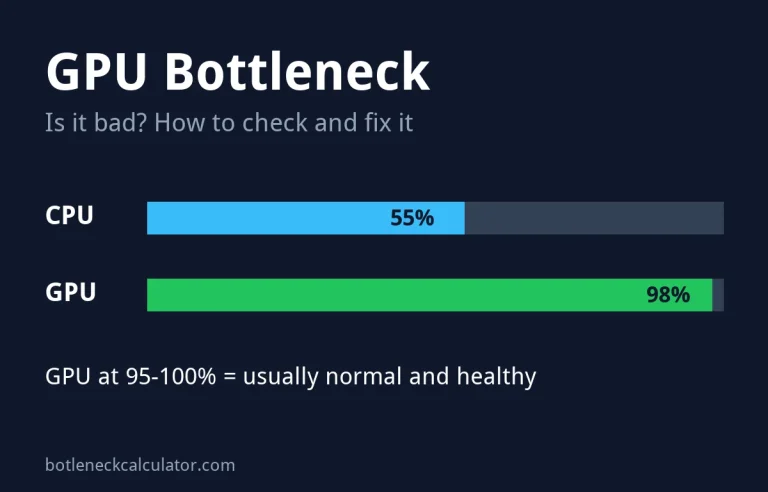
- GPU is the limit: this is the healthy state. Your graphics card runs at 95–100% and you get everything it can give. Even a high percentage at 4K is normal. If FPS is too low, lower graphics settings or turn on DLSS or FSR. Read more in our GPU bottleneck guide.
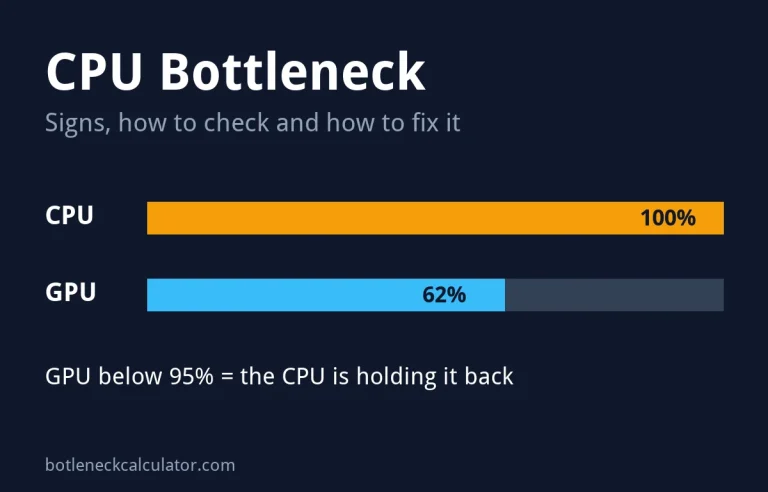
- CPU is the limit: the graphics card waits for the processor, GPU usage drops and 1% lows suffer. Settings help less here, so a high CPU bottleneck is the main reason to upgrade. See our CPU bottleneck guide.
Real bottleneck examples for popular builds
| CPU + GPU | 1080p battle royale | 1440p open world | Verdict |
|---|---|---|---|
| Ryzen 7 9800X3D + RTX 5090 | 23% CPU | 16% GPU | Fine, high-end pair |
| Core i5-13400F + RX 9070 XT | 32% CPU | 1% GPU | Great at 1440p, CPU limit at 1080p |
| Ryzen 5 7600 + RTX 5060 Ti 16GB | 17% CPU | 21% GPU | Well balanced |
| Ryzen 5 3600 + RTX 4070 Super | 36% CPU | 8% CPU | OK at 1440p, CPU upgrade helps at 1080p |
| Core i5-9400F + RTX 5070 | 41% CPU | 18% CPU | CPU is too old for this card |
| Core i7-4790K + RTX 3060 | 33% CPU | 1% CPU | Fine at 1440p, CPU-limited at 1080p |
Does a 20% bottleneck mean 20% fewer FPS?
No. The percentage shows how far apart your CPU and graphics card are for the chosen game and resolution. It is not the exact number of frames you lose. The real loss depends on the game, your settings, upscaling and any FPS cap. That is why our calculator also shows estimated FPS next to the score. You can read how the score is made on our How We Calculate page and see how close our estimates come to real benchmarks on the calculator accuracy page.
How to check your real bottleneck in games
- Watch GPU usage. Use the MSI Afterburner overlay during real gameplay. PCWorld’s rule of thumb: 95–100% GPU usage means the graphics card is the limit, and 80% or lower means a strong CPU bottleneck.
- Compare frame time and GPU Busy. Intel’s free PresentMon tool shows both. If frame time is much longer than GPU Busy, the CPU is the limit.
- Change the resolution. If FPS barely changes when you go from 1080p to 1440p, the CPU was holding you back.
- Check your 1% lows. A CPU bottleneck often shows up as stutter before it shows up in average FPS. Our guide on 1% lows explains what to look for.
What to do about a high bottleneck
- Under 20%: nothing. Enjoy your games.
- 20–30%, CPU limit: close background apps, enable XMP or EXPO for your RAM, use two RAM sticks, and raise graphics settings or resolution so the graphics card does more work. Our guide on how to fix a bottleneck without upgrading lists more free fixes.
- 30%+, CPU limit: upgrade the processor. On AM4, a Ryzen 7 5700X3D is a drop-in upgrade for many older Ryzen systems.
- High GPU limit: lower settings, use DLSS or FSR, or upgrade the graphics card if FPS is too low.
Want to see your own number? Enter your CPU, graphics card, resolution and game type in our bottleneck calculator, then check the expected frame rate in the FPS calculator.
Sources: PCWorld – Why I never use a bottleneck calculator to decide my PC gaming hardware; HP Tech Takes – Is my CPU bottlenecking my GPU?; Intel PresentMon.
Frequently asked questions
What is a good bottleneck percentage?
Under 10% is good, and anything under 20% is fine for most players. Above 30% with the CPU as the limit is the point where an upgrade usually makes sense.
Is 0% bottleneck possible?
Not really. One part always reaches its limit first, and the balance shifts from game to game. A score of a few percent is as good as it gets.
Can a bottleneck damage my PC?
No. A bottleneck only limits performance. It does not harm your CPU, graphics card or any other part.
Why is my bottleneck higher at 1080p than at 4K?
At 1080p the graphics card has less work per frame, so it waits for the CPU. At 4K the graphics card works much harder, so it becomes the limit instead.
Is a GPU bottleneck better than a CPU bottleneck?
Yes. When the graphics card is the limit, you get its full performance and can tune FPS with settings. A CPU bottleneck wastes graphics card performance and is harder to fix without new hardware.
Are bottleneck calculators accurate?
They give a good estimate of balance, not an exact FPS loss. We compared our estimates with hundreds of real benchmark results and publish the numbers on our calculator accuracy page.