Best Laptops for Content Creators in 2026: A Complete Buying Guide

Choosing the best laptop for content creation isn’t just about picking the most expensive model on the shelf. Whether you’re editing 4K or 8K video, designing graphics, rendering 3D scenes, or streaming to your audience, the right laptop needs to balance raw performance with portability, battery life, and long-term reliability without draining your budget on specs you’ll never use.
This guide breaks down exactly what matters when buying a content creator laptop in 2026, ten real models worth considering across every budget, and the mistakes that cost creators the most time and money.
Table of ContentsShow or hide all 6 sectionsShowHide
What to Look For Before You Buy
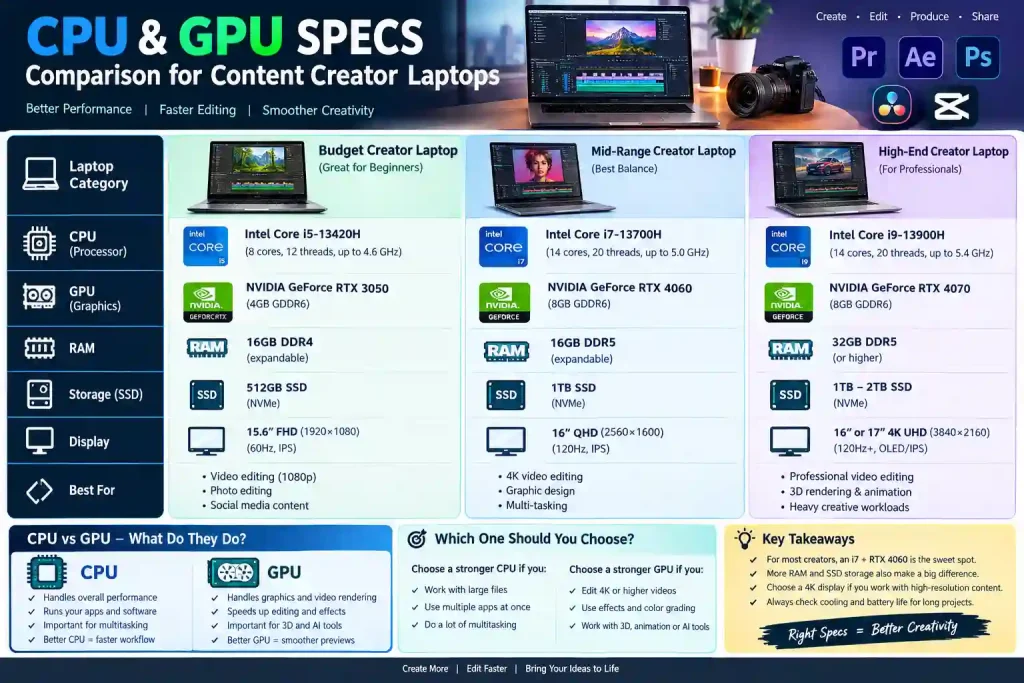
Before jumping into specific models, it helps to understand the core specs that actually affect your day-to-day editing experience:
- Processor (CPU): Handles rendering, exporting, and multitasking. Multi-core performance matters most for video editors and 3D artists working with heavy timelines.
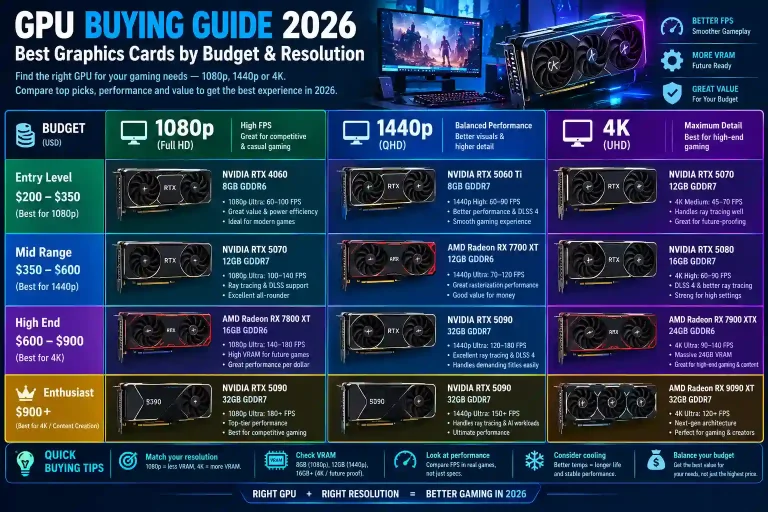
- Graphics (GPU): Speeds up effects, color grading, and 3D rendering. A dedicated GPU (RTX-series or Apple’s integrated GPU cores) is essential for Premiere Pro, DaVinci Resolve, or Blender.
- RAM: 16GB is the realistic minimum in 2026; 32GB+ is recommended if you regularly work with large video files, RAW footage, or run multiple creative apps at once.
- Display: OLED or mini-LED panels with wide color gamut (DCI-P3 90%+) are ideal for accurate color work in photo and video editing.
- Storage and speed: Fast NVMe SSDs matter more than raw capacity timeline scrubbing and ingest speed depend on it.
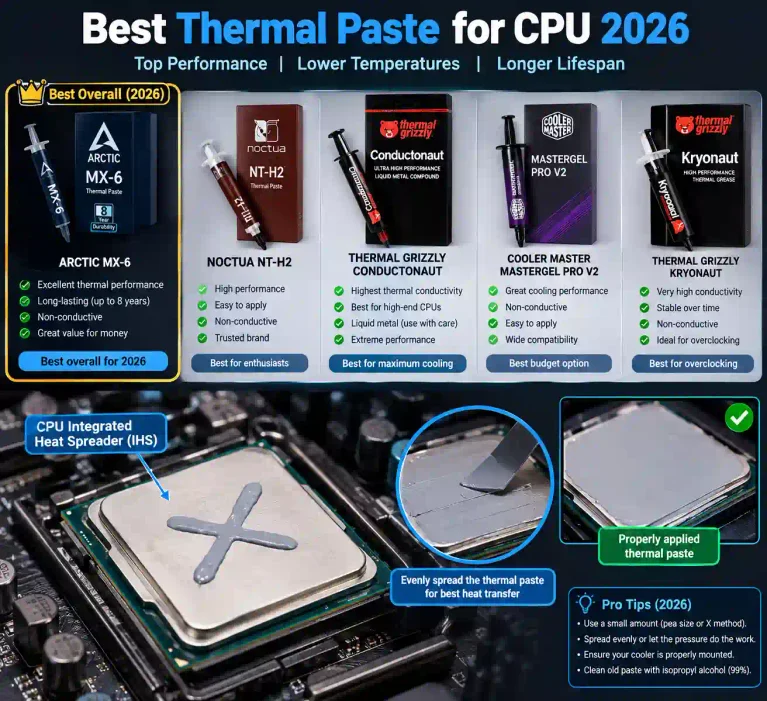
- Thermal design: A laptop that throttles 15 minutes into a long export will cost you more time than a slightly heavier chassis with better cooling.
- Battery life and weight: Often overlooked, but critical if you create content on location or travel frequently.
One mistake many creators make is pairing a powerful GPU with a weak CPU (or vice versa) this creates a performance bottleneck where one component holds the other back, and you end up paying for power you can’t actually use. Before finalizing a purchase, it’s worth running your target specs through a free PC bottleneck calculator to check if your CPU and GPU are properly balanced for your workload.
Top 10 Laptops for Content Creators in 2026
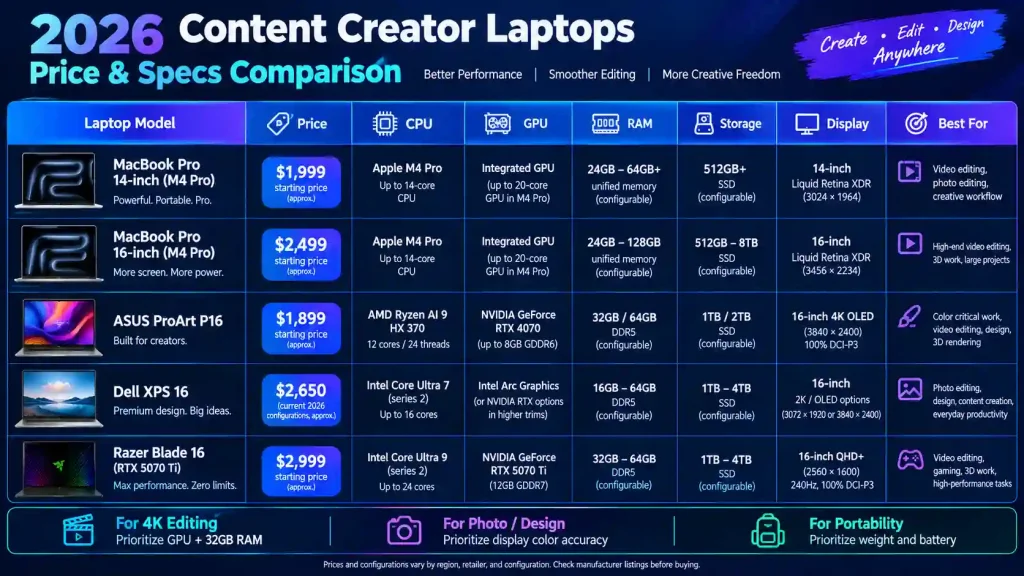
1. Apple MacBook Pro 16″ (M5 Pro) Best Overall for Video Editors
Apple’s 2026 refresh brings the M5 Pro chip (up to 18 cores, 20-core GPU) with configurations starting around $2,699 for the 16-inch model, scaling past $3,000 with more RAM and storage. The Liquid Retina XDR display (120Hz, ~254 PPI) is excellent for color grading, and battery life comfortably stretches past 18 hours in real-world editing use. It handles 6K timelines in DaVinci Resolve and Final Cut Pro smoothly. Best for: Professional video editors, colorists, and motion graphics artists on macOS.
2. Apple MacBook Air 15″ (M4) Best for Portability
Starting around $1,199, the M4-powered MacBook Air 15 offers a fanless, silent design with up to 24 hours of battery life. It handles light-to-medium video editing, photo retouching, and graphic design comfortably, though it’s not built for sustained 4K/6K export workloads. Best for: Freelancers, students, and creators who prioritize mobility over raw power.
3. Dell XPS 16 Best Windows Workstation
Featuring a 16-inch 4K OLED display, Intel/AMD CPU options, and NVIDIA RTX-class GPUs, the XPS 16 (roughly $2,099–$2,799) handles multitasking and large project files with ease. Strong thermal management keeps it stable during long renders. Best for: Windows-based video editors and graphic designers who need a large, color-accurate display.
4. ASUS ProArt P16 Best for Color-Accurate Design Work
The ProArt P16 (around $1,799–$2,499) ships factory-calibrated with high DCI-P3 coverage, paired with RTX-class graphics and up to 64GB RAM. It’s purpose-built for designers and photographers who need trustworthy color out of the box. Best for: Graphic designers, illustrators, and photo editors.
5. ASUS ROG Zephyrus G16 (2026) Best All-Rounder
Independent lab testing in 2026 has ranked the Zephyrus G16 among the top overall creator laptops, combining strong PugetBench/DaVinci Resolve scores with a portable chassis. Pricing sits around $1,999–$2,799 depending on GPU tier. It doubles well as a gaming machine. Best for: Creators who want one laptop for editing, 3D work, and occasional gaming.
6. Lenovo Legion Pro 5i Best Value for Budget Editors
Combining an Intel i7/i9 CPU with RTX 4060/4070 graphics and up to 32GB RAM, the Legion Pro 5i (around $1,399–$1,899) delivers strong render and export performance without workstation pricing. Best for: Beginners and budget-conscious creators who still need real GPU power.
7. Dell Alienware 18 Area-51 Best for 4K/8K Heavy Editing
Recent 2026 lab testing places this among the top picks specifically for 4K-heavy editing workflows, thanks to a high-core-count CPU and top-tier RTX GPU options. It’s a larger, heavier machine, better suited to studio use than daily carry. Best for: Professional editors working primarily from a fixed desk setup.
8. Samsung Galaxy Book6 Ultra Best Value Windows Pick
Positioned as a value option in 2026 comparisons, the Galaxy Book6 Ultra pairs a bright OLED display with capable CPU/GPU combinations at a more accessible price point than flagship workstations. Best for: Creators who want OLED color accuracy without paying workstation prices.
9. MSI Creator 15 Reliable Mid-Range OLED Option
With a 4K OLED display, RTX 3060-class graphics, and a design built specifically around creative workloads rather than gaming, the MSI Creator 15 remains a solid mid-range choice for editors and designers. Best for: Creators wanting OLED accuracy on a mid-range budget.
10. Lenovo ThinkPad P16 Gen 2 Best Mobile Workstation
Built with professional-grade components (up to RTX 2000 Ada graphics, 32GB+ RAM), the ThinkPad P16 Gen 2 targets 3D artists and VFX professionals who need workstation-class reliability with enterprise build quality. Best for: 3D artists, animators, and studio professionals handling heavy CPU/GPU workloads.
Best Laptops by Creator Type Quick Guide
- Video Editors and Filmmakers: MacBook Pro 16 (M5 Pro), Dell XPS 16, or Dell Alienware 18 for the heaviest 4K/8K timelines.
- Graphic Designers and Illustrators: ASUS ProArt P16 or MSI Creator 15 for factory-calibrated color accuracy.
- 3D Artists and Animators: Lenovo ThinkPad P16 Gen 2 or ASUS ProArt P16 for sustained GPU-heavy rendering.
- YouTubers and Social Media Creators: MacBook Air 15 or Lenovo Legion Pro 5i for portability with enough power for short-form content.
- Budget-Conscious Creators: Lenovo Legion Pro 5i or Samsung Galaxy Book6 Ultra for real performance without workstation pricing.
Common Buying Mistakes to Avoid
- Overspending on GPU power while ignoring RAM or storage speed
- Choosing a laptop with poor thermal design, leading to performance drops during long editing sessions
- Ignoring display color accuracy when the work involves photo or video color grading
- Not checking CPU-GPU balance, which can bottleneck performance even on expensive machines
- Buying based on marketing specs alone instead of real-world sustained performance (a laptop that benchmarks well but throttles after 15 minutes isn’t a good editing machine)
Frequently Asked Questions
How much RAM do I actually need for content creation?
16GB works for light editing and design; 32GB is recommended for 4K/6K video, 3D work, or heavy multitasking across multiple creative apps.
Do I need a dedicated GPU, or is integrated graphics enough?
For video editing, 3D rendering, or motion graphics, a dedicated GPU is strongly recommended. For writing, light photo editing, or social media content, integrated graphics can be sufficient.
Is a gaming laptop good for content creation?
Often, yes gaming laptops like the ASUS ROG Zephyrus G16 pack strong CPUs and GPUs suited for rendering and editing, though they tend to be heavier with shorter battery life than laptops built specifically for creators.
How do I know if my laptop’s CPU and GPU are balanced?
The easiest way is to check your exact CPU and GPU model against a free online bottleneck calculator, which shows whether one component is holding back the other’s performance.
Windows or macOS which is better for creators?
Both are capable. macOS is popular for video and photo editing due to color management and software optimization (Final Cut Pro, DaVinci Resolve run natively on Apple Silicon), while Windows offers more hardware variety, upgradeable components on some models, and often better value for the same specs.
Should I buy a workstation laptop or a gaming laptop for editing?
Workstation laptops (like the ThinkPad P16 or ProArt P16) prioritize reliability, certified drivers, and sustained performance over long sessions. Gaming laptops often offer more raw GPU power per dollar but with less consistent thermal performance under sustained creative workloads.
Final Thoughts
The best laptop for content creation depends entirely on your specific workflow a video editor’s needs look very different from a graphic designer’s or a social media creator’s. Focus on matching your CPU, GPU, RAM, and display quality to the actual software you use daily, rather than chasing the highest specs on paper. And before you buy, it’s always worth double-checking that your chosen CPU and GPU pairing won’t leave performance on the table.