Best Gaming CPU 2026: Top Picks for Every Budget (With GPU Pairing Guide)
This guide covers the best CPUs for gaming right now, based on published reviews and benchmarks, and shows which GPU each one pairs with. You can also test any combination with our free PC bottleneck calculator before you spend a rupee.
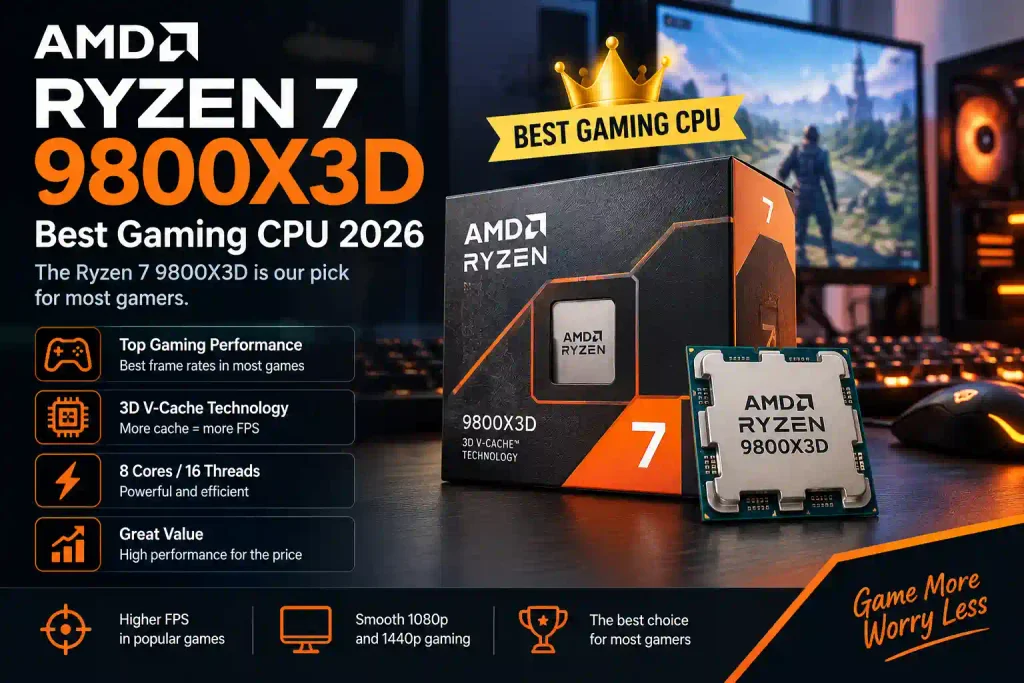
Table of ContentsShow or hide all 11 sectionsShowHide
How We Researched This Guide
We compared benchmark results and price data from independent review sites, including TechSpot, TechPowerUp, GamersNexus, Tom’s Hardware and Windows Central, and checked local Pakistani store listings for pricing. We also tested CPU and GPU pairings with our own bottleneck calculator so the pairing advice is not based on guesswork. For desktop and laptop test data at 1080p, 1440p and 4K, see our gaming CPU benchmarks.
Quick Answer: Best Gaming CPUs in 2026
| Category | CPU | Why it wins |
|---|---|---|
| Fastest overall | Ryzen 7 9850X3D | Highest gaming speed available |
| Best for most gamers | Ryzen 7 9800X3D | Near-identical speed, lower power and price |
| Best value high-end | Ryzen 7 7800X3D | Still strong, often much cheaper |
| Gaming + creator work | Ryzen 9 9950X3D | 16 cores with top-tier gaming |
| Best mid-range Intel | Core Ultra 5 250K Plus | Good gaming, strong productivity value |
| Best budget X3D | Ryzen 5 7500X3D / 7600X3D | V-Cache at a lower price |
| Best budget AM5 | Ryzen 5 9600X | Modern platform, affordable |
| Cheap AM4 upgrade | Ryzen 5 5600 | Drops into existing AM4 boards |
Gaming CPU Prices: USD and Pakistan (PKR)
| CPU | Launch price (USD) | Approx. price in Pakistan (PKR) |
|---|---|---|
| Ryzen 7 9850X3D | about $499 | [check store] |
| Ryzen 7 9800X3D | about $479 (street price around $470) | about Rs. 125,000 to 145,000 |
| Ryzen 7 7800X3D | often $100 or more below the newer chips | [check store] |
| Ryzen 9 9950X3D | about $645 (one review) | [check store] |
| Ryzen 5 9600X | [check] | [check] |
Prices checked September 29, 2026. Pakistani prices change often with the dollar rate, so confirm with the seller before buying.
How We Chose the Best CPUs for Gaming
What Matters Most in a Gaming Processor
For gaming, a CPU’s job is to prepare frames quickly enough that your GPU never sits idle. Three things matter most:
- Cache size: AMD’s 3D V-Cache gives games fast access to data, which is why X3D chips lead almost every gaming chart.
- Per-core speed: Games rely on a few fast cores more than dozens of slow ones. Eight strong cores are enough for gaming.
- Platform cost: The motherboard and DDR5 RAM add to the price, so the CPU alone does not tell the full story.
Why Resolution Changes the Answer
At 1080p, the GPU finishes frames quickly and the CPU becomes the limit. At 4K, the GPU does most of the work and CPU differences shrink. Always judge a CPU by the resolution you actually play at.
Best Gaming CPUs in 2026, Reviewed
1. AMD Ryzen 7 9850X3D: Fastest Gaming CPU
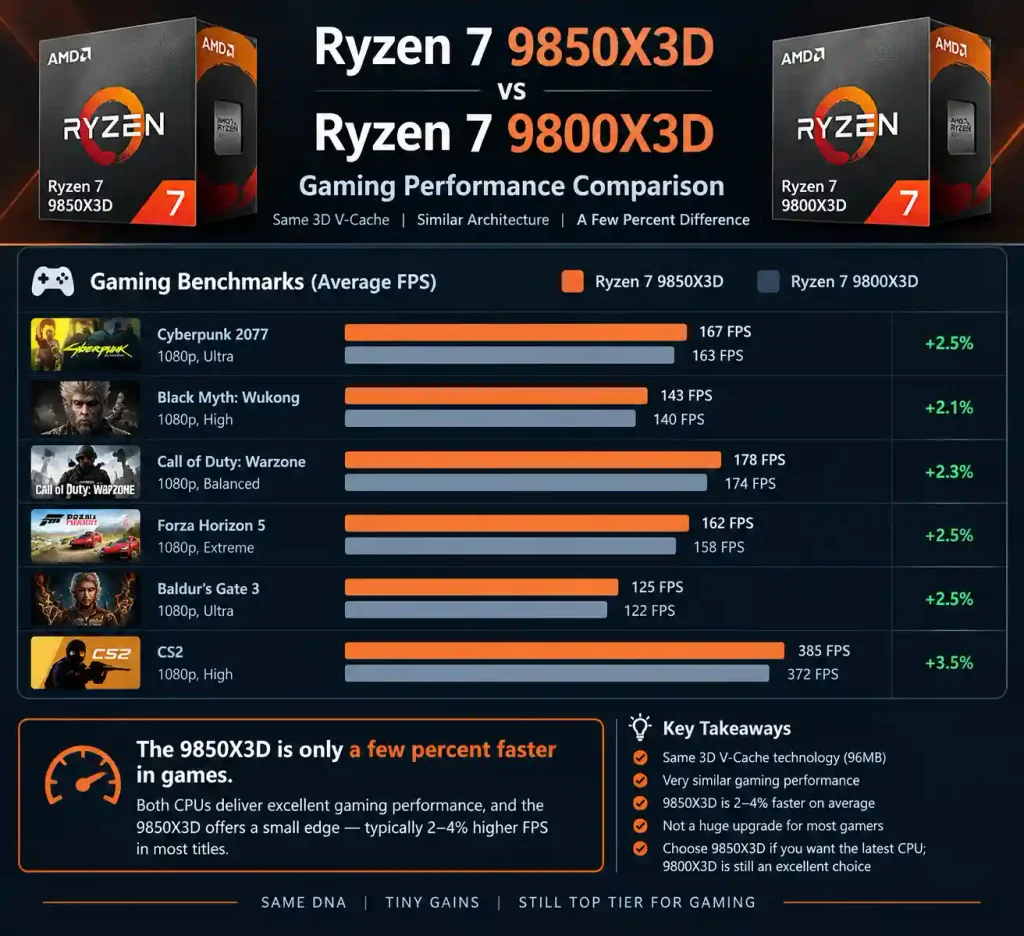
Launched in January 2026, the Ryzen 7 9850X3D is the fastest pure gaming processor you can buy. It has the same 8 cores, 16 threads and 96MB of L3 cache as the 9800X3D, plus a higher maximum boost clock of up to 5.6GHz.
Performance and Price
The launch price was about $499. Reviewers agree the gain is small: GamersNexus measured it at best around 4% faster than the 9800X3D, and sometimes identical. Tom’s Hardware also noted roughly 30% higher power draw for about 3% more performance.
Who Should Buy It
Buy it if you are building a new high-end gaming PC and the price gap to the 9800X3D is small. If you already own a 9800X3D, there is no reason to upgrade.
2. AMD Ryzen 7 9800X3D: Best Gaming CPU for Most People
The Ryzen 7 9800X3D is the smart choice for most high-end builds. Several buying guides rank it the best overall gaming CPU thanks to its mix of speed, efficiency and value. It uses less power than the 9850X3D while staying within a few percent of it.
Best GPU Pairing
It comfortably supports cards like the RTX 5070 Ti, RTX 5080, RTX 5090 or RX 9070 XT, even at 1080p and 1440p where CPUs matter most. Check your exact pairing with the bottleneck calculator.
3. AMD Ryzen 7 7800X3D: Best Value High-End Choice
The older Ryzen 7 7800X3D is still excellent. TechSpot and GamersNexus both pointed out that it was often $100 or more cheaper than the newer chips. If you find it on sale, it delivers most of the performance for far less money.
4. AMD Ryzen 9 9950X3D: Best for Gaming and Content Creation
If you game and also edit video, render 3D or stream, the Ryzen 9 9950X3D gives you 16 cores and 32 threads with gaming performance close to the 9800X3D. It costs more (around $645 in one review), so choose it only if you use those extra cores. AMD’s even larger 9950X3D2 targets creators and developers more than gamers.
5. Intel Core Ultra 5 250K Plus: Best Intel Option
Intel is not the top choice for pure gaming right now, but the Core Ultra 5 250K Plus is repeatedly named the best value option in the mid-range. The Core Ultra 7 270K Plus (24 cores) trails AMD’s best in games but is very strong at multi-core work, according to PCGamesN.
6. Best Budget Gaming CPUs
Ryzen 5 7500X3D and 7600X3D
These bring 3D V-Cache to lower prices. The 7500X3D has six cores and a lower clock speed but still offers strong gaming performance for its cost.
Ryzen 5 9600X
A six-core Zen 5 chip on AM5, good for affordable builds at 1080p and 1440p with mid-range GPUs.
Ryzen 5 5600 (AM4)
If you already have an AM4 motherboard and DDR4 RAM, this is the cheapest way to improve performance without replacing your whole system.
AMD vs Intel for Gaming in 2026
AMD leads gaming performance because of 3D V-Cache, and every X3D chip runs on the same AM5 platform. Intel’s latest chips offer better value in the mid-range and stronger multi-core performance for the money, but they trail in top gaming speed. If your PC is mainly for gaming, choose AMD X3D. If you also do heavy productivity work on a budget, Intel’s Plus series is worth a look.
Best GPU for Each Gaming CPU (Bottleneck Check)
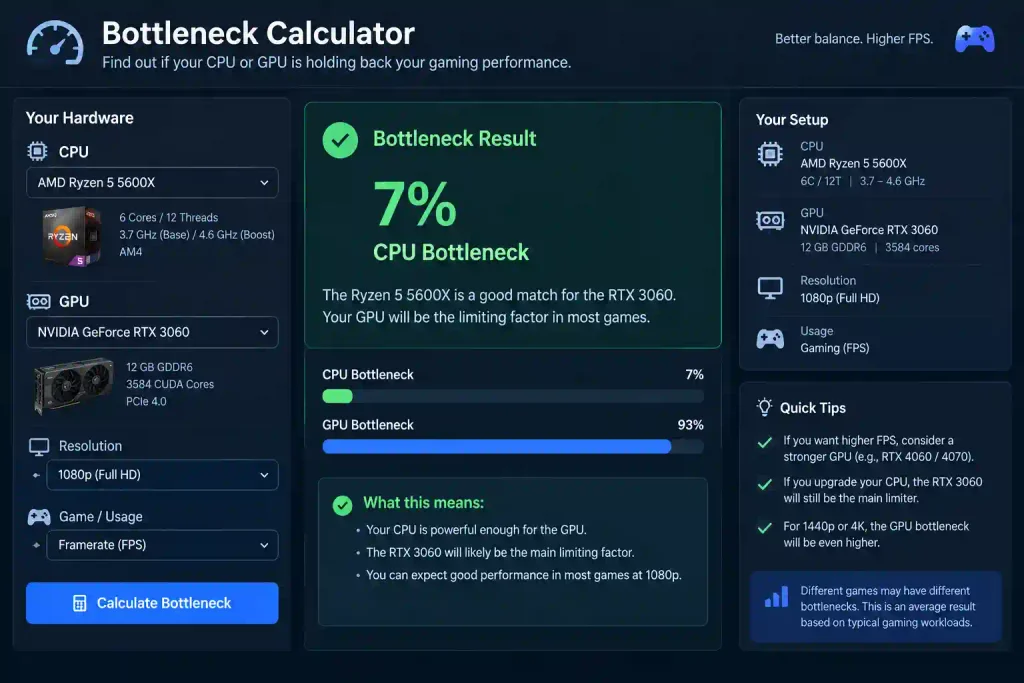
A great CPU can still be wasted on the wrong GPU, and the reverse is also true. We ran these pairings through our free bottleneck calculator using an Open World game type, a typical background load and 32GB of RAM.
| CPU | Suggested GPU class | Bottleneck at 1080p | Bottleneck at 1440p | Bottleneck at 4K |
|---|---|---|---|---|
| Ryzen 7 9850X3D | RTX 5080 | 18% (CPU) | 1% (GPU) | 27% (GPU) |
| Ryzen 7 9800X3D | RTX 5070 Ti | 15% (CPU) | 5% (GPU) | 29% (GPU) |
| Ryzen 5 7600X3D | RTX 5070 | 17% (CPU) | 3% (GPU) | 28% (GPU) |
| Ryzen 5 9600X | RTX 5060 | 5% (CPU) | 15% (GPU) | 35% (GPU) |
| Ryzen 5 5600 | RTX 4060 | 17% (CPU) | 3% (GPU) | 28% (GPU) |
Scores under 10% are considered a well-balanced pairing. At 4K, your GPU matters far more than the CPU, so you can often save money on the processor.
How to Avoid a CPU Bottleneck
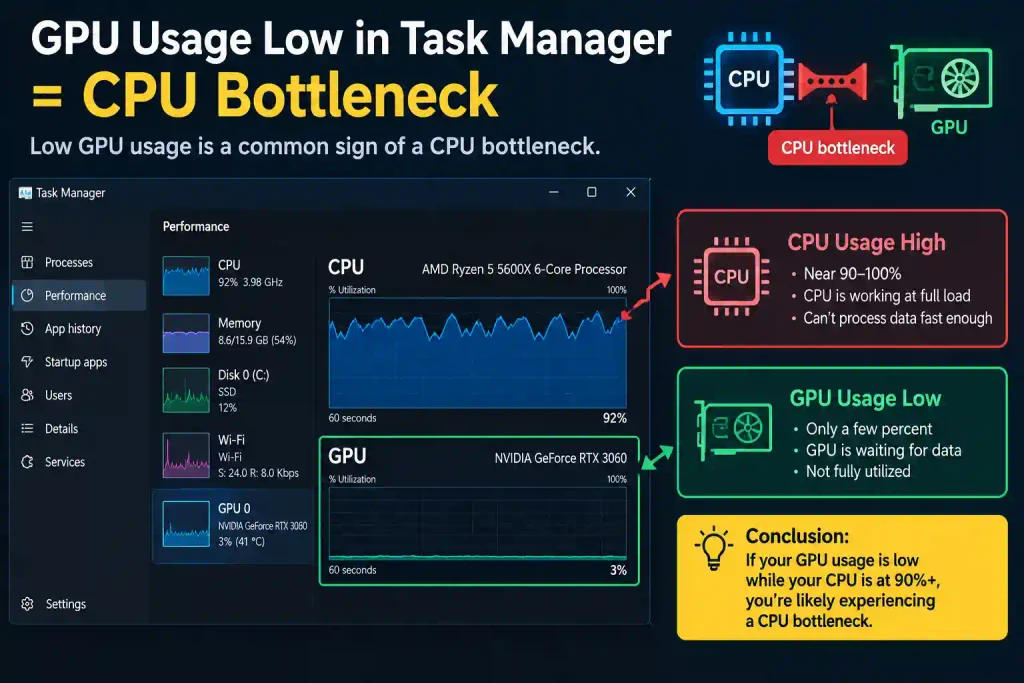
Signs of a Bottleneck
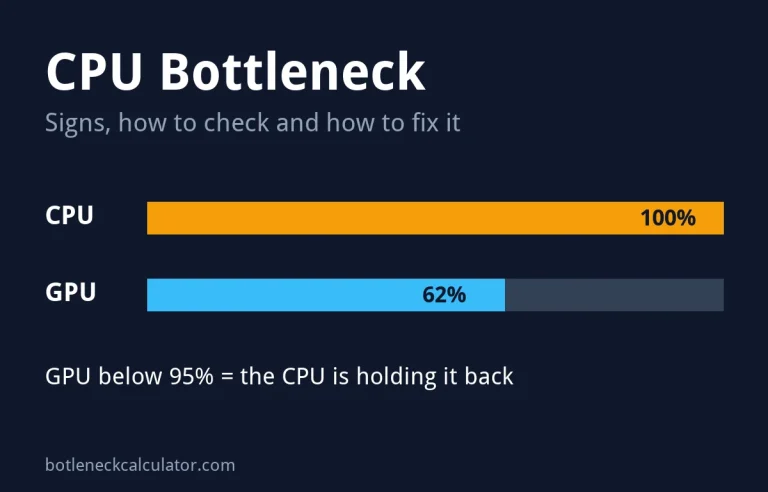
- GPU usage stays well below 100% while the CPU is maxed out
- Stuttering or inconsistent frame rates
- Lowering graphics settings barely improves FPS
Free Fixes Before You Upgrade
- Update graphics and chipset drivers.
- Close background apps and browser tabs.
- Enable EXPO or XMP in your BIOS so RAM runs at its rated speed.
- Use dual-channel RAM (two matched sticks).
If a bottleneck remains, upgrade the limiting part instead of the whole PC. You can run a quick test with the PC bottleneck calculator to find the weak link.
Buying a Gaming CPU in Pakistan: What to Know
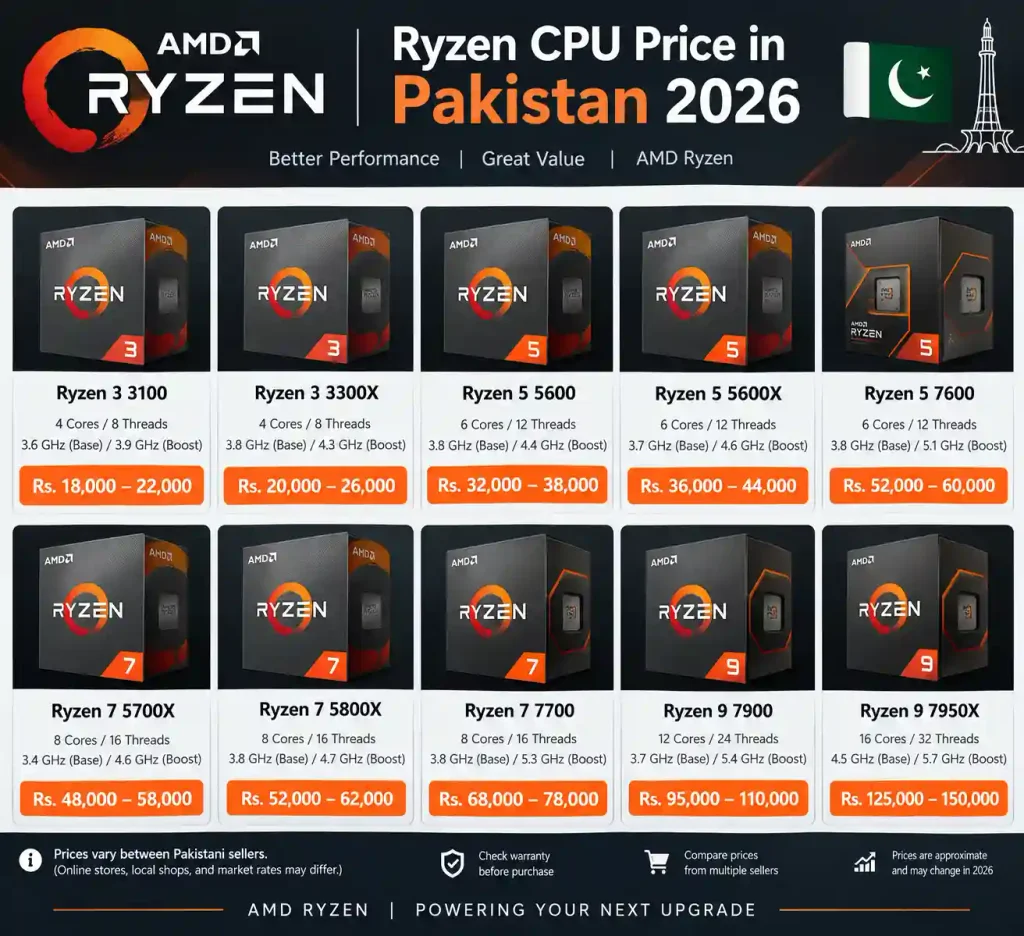
The Ryzen 7 9800X3D is listed in Pakistan at roughly Rs. 125,000 to 145,000, depending on the seller and whether you buy the boxed or tray version.
Tips for Pakistani buyers:
- Boxed vs tray: Boxed usually means a full warranty. Ask about warranty length for tray CPUs.
- Dollar rate: Some stores state that listed prices become invalid when the dollar rate changes, so confirm before paying.
- Compare several stores: The same CPU can differ by Rs. 10,000 to 20,000 between sellers.
- Ignore very high outliers: A few pages show far higher prices, likely old or stale listings.
- Budget the whole platform: Add the AM5 motherboard, DDR5 RAM and a good power supply. Use our PSU wattage calculator to pick the right PSU.
- On a tight budget? An older AM4 build with a Ryzen 5 5600 can save a large amount of money.
Buying Tips Before You Spend
- Check current prices. CPU prices change often, and X3D chips are in high demand.
- Budget for DDR5. Memory is still expensive, so include it in your total cost.
- Do not overspend on small gains. The jump from 9800X3D to 9850X3D is only a few percent in games.
- Match your CPU to your GPU and resolution, not to a benchmark chart alone.
Frequently Asked Questions
What is the best gaming CPU in 2026?
The Ryzen 7 9850X3D is the fastest, but the Ryzen 7 9800X3D is the better choice for most buyers because it is nearly as fast and costs less to run.
Is the Ryzen 7 9850X3D worth it over the 9800X3D?
Only if the price difference is small and you are building new. Reviewers found gains of roughly 2 to 4% in games.
Is AMD or Intel better for gaming in 2026?
AMD X3D processors lead in gaming. Intel offers good value in the mid-range and stronger multi-core performance.
How many cores do I need for gaming?
Eight fast cores are enough for gaming. More cores mainly help with streaming, editing and rendering.
What is the best budget gaming CPU?
The Ryzen 5 7500X3D and 7600X3D offer X3D performance at lower prices, while the Ryzen 5 9600X is a solid non-X3D AM5 option.
What is the Ryzen 7 9800X3D price in Pakistan?
Pakistani store listings currently range from roughly Rs. 125,000 to 145,000. Check several sellers and confirm the warranty before buying.
Will my CPU bottleneck my GPU?
It depends on resolution, game type and the exact pair. Test your setup with the free bottleneck calculator to get a score.
Final Verdict
For most gamers, the Ryzen 7 9800X3D is the best gaming CPU in 2026. Choose the 9850X3D only if the price is close, pick the 9950X3D if you also create content, and go for the Ryzen 5 7500X3D or 9600X if you are on a budget. Whatever you choose, check your CPU and GPU pairing first so every rupee goes to real performance.