How Many Watts Do I Need for My PC? A Complete PSU Wattage Guide
Choosing the right power supply is one of the most overlooked steps when building or upgrading a PC. Too little wattage can cause crashes and instability, while too much wastes money and reduces efficiency. If you’ve been asking yourself “how many watts do I need for my PC?”, this guide breaks it down clearly, using real GPU/CPU data, so you can pick the right PSU size with confidence.
Before you pick a power supply, check that your CPU and GPU are well matched in our bottleneck calculator, then use the PSU wattage calculator for your exact build.
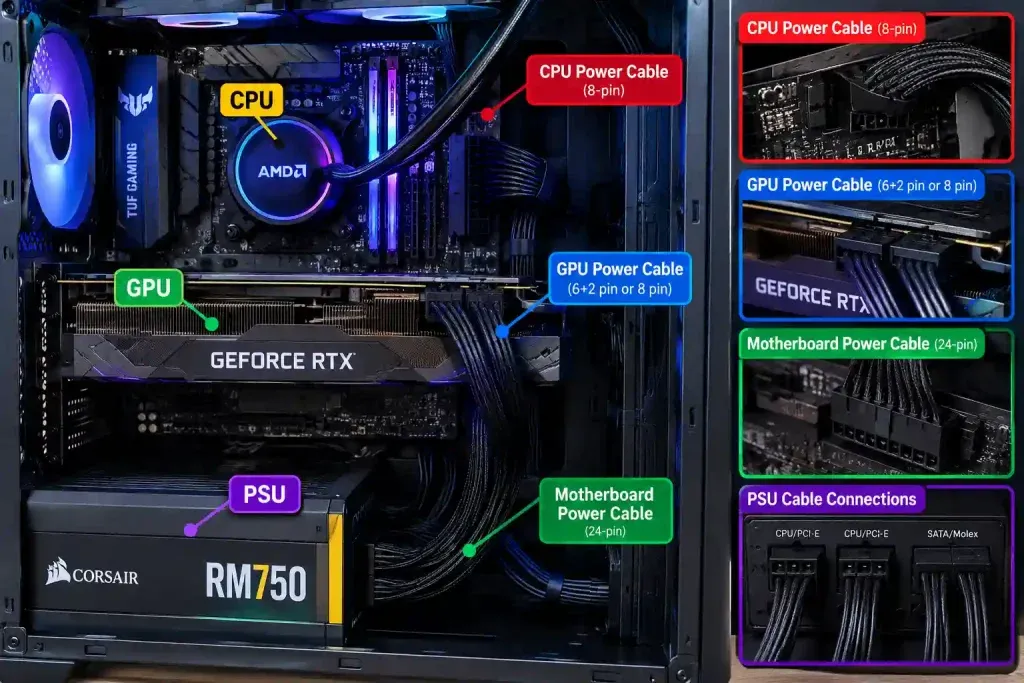
Table of ContentsShow or hide all 10 sectionsShowHide
Why PSU Wattage Matters
Your power supply unit (PSU) feeds electricity to every component in your system the CPU, GPU, motherboard, storage drives, and fans. If your power supply wattage for your gaming PC isn’t sufficient, you may experience:
- Random shutdowns or restarts under load
- Blue screens during heavy gaming or rendering
- Reduced lifespan of components due to voltage instability
- Poor overclocking stability
- Coil whine or unusual PSU noise under stress
Getting the wattage right isn’t just about performance it’s about long-term reliability and protecting your investment in expensive components like your GPU.
Average Wattage by PC Type
Here’s a rough breakdown based on common builds:
| PC Type | Recommended PSU Wattage |
|---|---|
| Basic office/browsing PC | 300–400W |
| Budget gaming PC (entry GPU) | 450–550W |
| Mid-range gaming PC | 550–650W |
| High-end gaming PC (RTX 4070/4080 class) | 750–850W |
| Enthusiast/multi-GPU workstation | 1000W+ |
These numbers are general estimates your ideal wattage depends heavily on your specific CPU and GPU combination.
Real GPU & CPU Power Draw Examples
To calculate your PC’s power consumption accurately, it helps to know actual component draw. Here’s a quick reference:
| GPU Model | Typical Power Draw | Recommended PSU |
|---|---|---|
| RTX 4060 | 115W | 550W |
| RTX 4070 | 200W | 650W |
| RTX 4070 Ti Super | 285W | 750W |
| RTX 4080 Super | 320W | 850W |
| RTX 4090 | 450W | 1000W |
| RX 7600 | 165W | 550W |
| RX 7800 XT | 263W | 700W |
| CPU Type | Typical Power Draw |
|---|---|
| Mid-range (Ryzen 5 / Core i5) | 65–105W |
| High-end (Ryzen 9 / Core i7-i9) | 105–170W |
| Overclocked enthusiast CPUs | 200W+ |
Add these together with your storage, fans, and RGB (usually 30–60W combined), then apply the safety buffer explained below.
Key Factors That Affect Your Wattage Needs
1. Graphics Card (GPU) The GPU is usually the single biggest power consumer in a gaming PC, often needing 115–450W on its own depending on the model (see table above).
2. Processor (CPU) High-core-count or overclocked CPUs can draw significantly more power than standard models, especially under sustained full-load tasks like rendering or streaming.
3. Number of Drives and Peripherals Extra SSDs, HDDs, RGB lighting, and cooling fans all add small but real amounts of draw usually 5-15W each.
4. Overclocking Pushing your CPU or GPU beyond stock speeds increases power consumption and heat, requiring extra headroom in your PSU calculator estimate.
5. Future Upgrades If you plan to add a stronger GPU later, it’s smart to buy a slightly higher-wattage PSU now rather than replacing it in a year.
How to Calculate Your PC’s Wattage Accurately
Manually adding up every component’s power draw can be time-consuming and easy to get wrong, especially with modern GPUs that have variable power spikes. Instead, using a dedicated tool saves time and reduces the risk of underpowering your build.
You can check your exact requirements using this free PC power supply wattage calculator just enter your CPU, GPU, storage, and other components, and it will estimate the ideal PSU size for your system, including a safe buffer for stability and future upgrades.
Should You Buy a Higher-Wattage PSU Than You Need?
Yes within reason. Experts generally recommend adding a 20–30% buffer above your calculated wattage. This buffer:
- Keeps the PSU running well below its maximum capacity (better efficiency and less heat)
- Gives you room for future upgrades without a full PSU replacement
- Improves overall system stability, especially during transient power spikes
- Extends the PSU’s lifespan by reducing constant high-load stress
For example, if your components need 450W total, a 550W–600W PSU is a safer, more efficient choice than running a 450W unit at its absolute limit.
Watts vs. Amps: A Quick Clarification
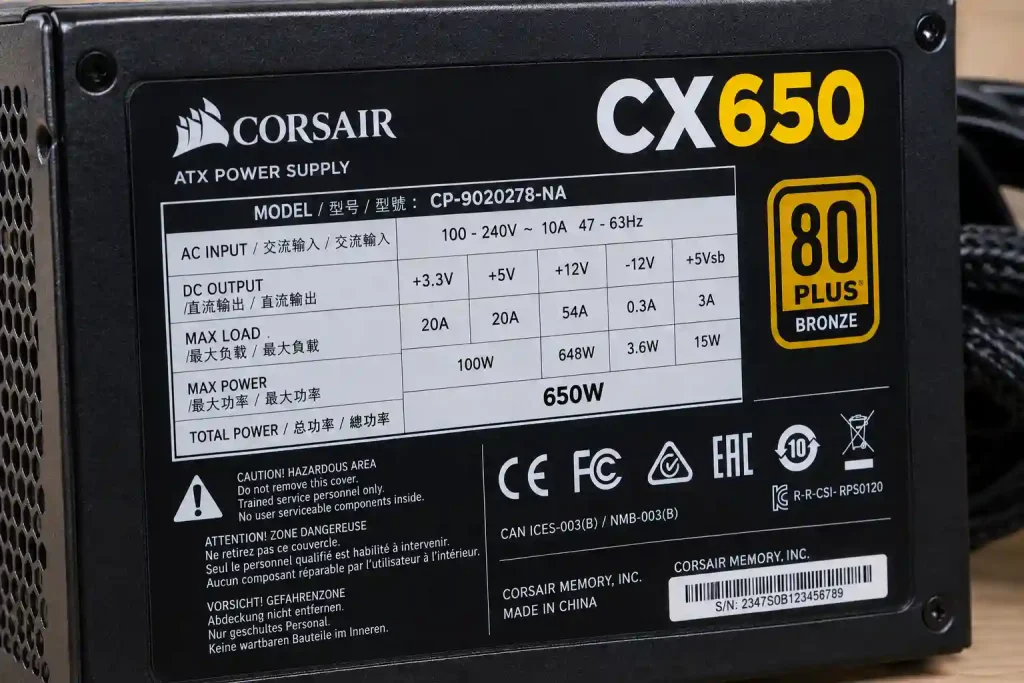
Many users confuse watts and amps when reading PSU labels. Watts measure total power output, while amps measure current on a specific rail (like the +12V rail, which powers your GPU and CPU). When checking a PSU’s specs, always look at the +12V rail amperage too a PSU can be rated 650W but still have a weak +12V rail that limits GPU performance.
Common Mistakes to Avoid
- Buying based on price alone cheap PSUs often cut corners on safety and stability, increasing fire and component-damage risk.
- Ignoring the 80 Plus efficiency rating look for at least 80 Plus Bronze (Gold or Platinum for high-end builds) for better efficiency and lower electricity bills.
- Not accounting for GPU power spikes modern GPUs, especially RTX 40-series cards, can briefly draw 1.5–2x their rated average during transient spikes.
- Guessing instead of calculating always verify with a wattage calculator before purchasing.
- Overlooking connector requirements newer GPUs need 12VHPWR or multiple 8-pin connectors; check your PSU has the right cables.
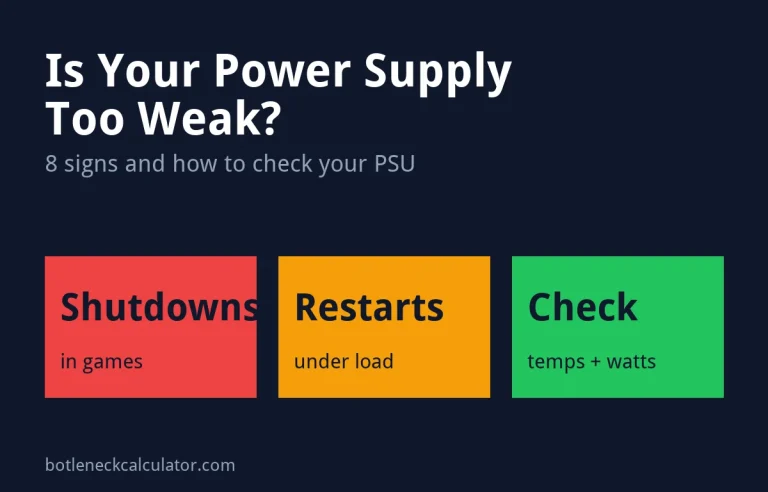
PC shutting down while gaming? Read the signs your power supply is too weak and how to check it.
Sources: NVIDIA – GeForce RTX 5090 specifications (575 W graphics power, 1000 W required system power).
Frequently Asked Questions
Is 650W enough for gaming?
Yes, 650W is enough for most mid-to-high-end gaming builds, including systems with a single high-performance GPU like the RTX 4070 or RX 7800 XT.
Do I need 1000W for a single GPU?
Usually not, unless you’re running a top-tier flagship GPU like the RTX 4090 with a power-hungry CPU and heavy overclocking.
What happens if my PSU wattage is too low?
Your system may shut down under load, fail to boot, or damage components over time due to insufficient and unstable power delivery.
Does a higher wattage PSU use more electricity?
No a PSU only draws power based on what your components actually need. A higher-wattage unit simply has more headroom; it doesn’t waste extra electricity at idle.
Final Thoughts
Picking the right PSU wattage protects your investment and keeps your PC running smoothly for years. Rather than guessing, use a reliable wattage calculator to match your PSU to your exact components it’s the safest way to avoid both underpowering and overspending.