What Is a Normal CPU Temperature? Idle, Gaming & Load (2026)
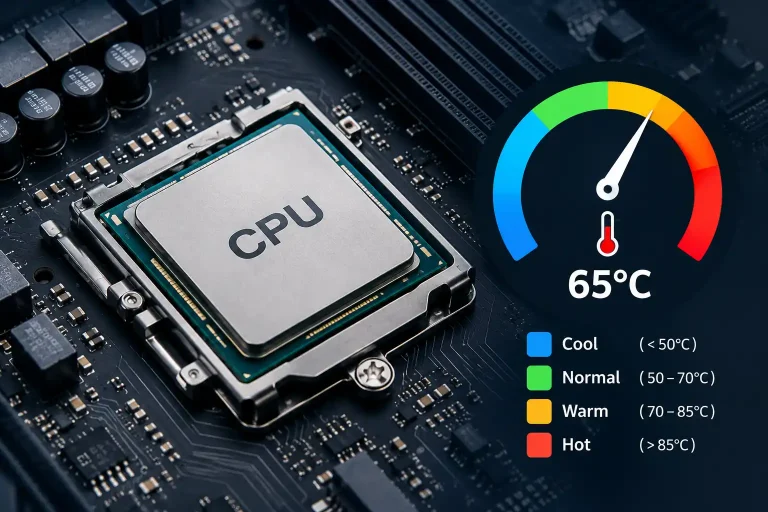
A normal CPU temperature is 30 to 45°C at idle and about 60 to 85°C while gaming. Anything under 80°C in games is fine for most desktop CPUs. If your CPU stays above 90°C for long periods, it is running too hot and your cooling needs attention. Most modern chips only start to slow themselves down (throttle) between 95 and 105°C.
Below you will find the normal range for idle, gaming and heavy load, the maximum temperature of popular Intel and AMD CPUs, and what to do if your CPU runs hot. To read your own temperature, see our guide to CPU temperature monitoring tools.
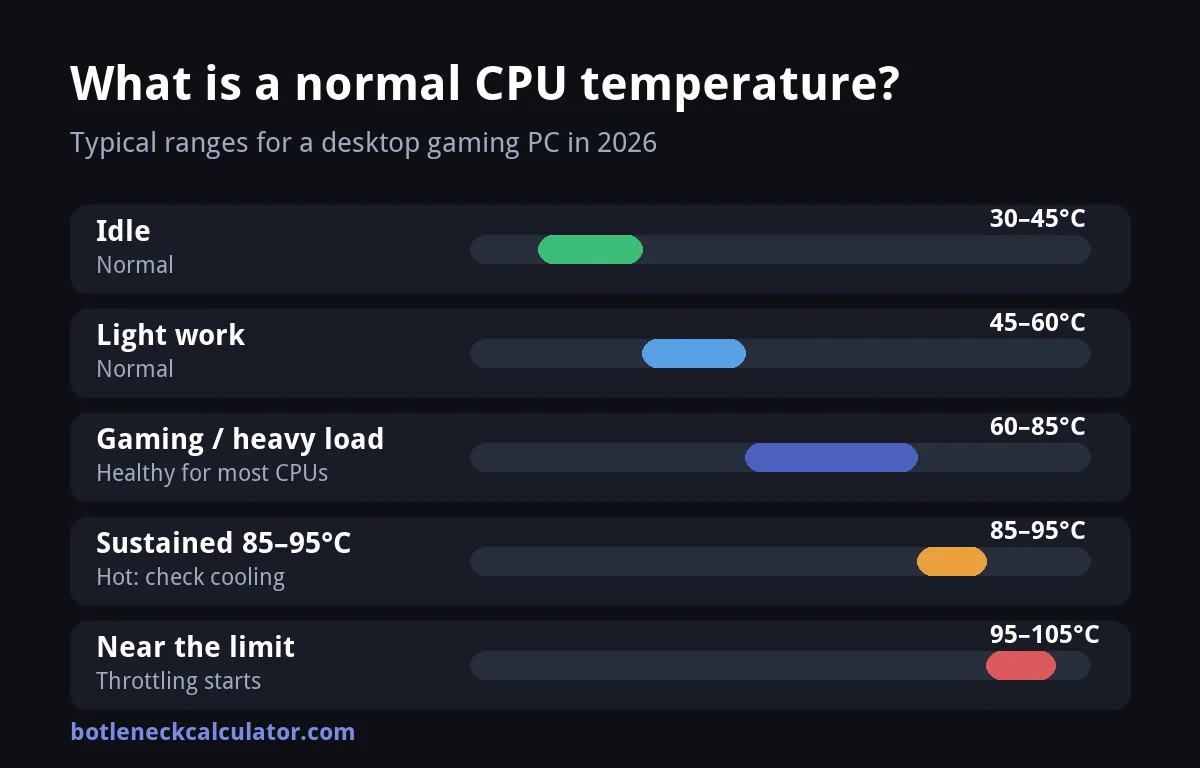
Table of ContentsShow or hide all 11 sectionsShowHide
Normal CPU temperature chart
There is no single perfect number, because room temperature, cooler quality and the CPU model all change the result. These are practical targets for a desktop PC:
| Situation | Typical CPU temp | What it means |
|---|---|---|
| Idle (desktop, browser) | 30–45°C | Normal. A hot room can add 5 to 10°C. |
| Light work (office, video) | 45–60°C | Normal |
| Gaming or heavy load | 60–85°C | Healthy for most CPUs |
| Sustained 85–95°C | Hot | The cooler is struggling. Check airflow and dust. |
| Near the maximum (Tjmax) | 95–105°C | Throttling starts, performance drops |
Normal CPU temp while gaming
Most gaming PCs settle between 60 and 85°C. The exact number depends on the game. A game that is limited by the graphics card, such as a 4K title, often keeps the CPU cooler than a fast esports game at 1080p, where the CPU works much harder. If your temperature stays in this range and your FPS is stable, there is nothing to fix.
Spikes are normal too. A CPU can jump 10 to 15°C for a few seconds when a game loads a level or you open a heavy app. What matters is the temperature after a few minutes of play.
Normal idle CPU temperature
At idle, with just a browser and a few background apps open, expect 30 to 45°C. Idle temperatures of 45 to 55°C are common in warm rooms or small cases, and are not a problem on their own. If your idle temperature is much higher, check for background apps, a failing fan or a badly seated cooler.
Maximum CPU temperature by model
Tjmax is the highest temperature a chip is designed to reach before it protects itself. It is a limit, not a target. These values come from the official AMD and Intel specification pages:
| CPU | Tjmax |
|---|---|
| Ryzen 9 9950X3D | 95°C |
| Ryzen 7 9800X3D | 95°C |
| Ryzen 5 9600X | 95°C |
| Ryzen 7 7800X3D | 89°C |
| Ryzen 7 5800X3D | 90°C |
| Core Ultra 9 285K | 105°C |
| Core i9-14900K | 100°C |
| Core i5-13600K | 100°C |
| Core i5-12400F | 100°C |
Do not assume one number for a whole family. The Ryzen 7 7800X3D tops out at 89°C, lower than most other Ryzen chips, so 88°C that is fine on a Ryzen 5 9600X is already at the limit on an X3D chip. Our CPU temperature guide has a longer table.
Why a Ryzen CPU can look hotter
Many Ryzen 7000 and 9000 chips list a Tjmax of 95°C and are built to boost until they reach it, so a high reading under heavy load can be normal behavior and not a sign of a fault. Judge it by the same rule: sustained temperatures close to the limit in games mean your cooler is the weak point.
When is a CPU temperature too hot?
- Above 90°C for long periods while gaming.
- FPS that drops after 10 to 15 minutes of play, which can mean throttling.
- Fans at full speed during light work.
- Sudden shutdowns or restarts under load.
Reaching 100°C briefly will not destroy a modern CPU, because it slows itself down to protect the chip. Running near that limit all the time is still not healthy, so fix the cooling.
Normal CPU temperature in a laptop
Laptops run hotter than desktops because the cooling system is much smaller. Many gaming laptops reach the 80s under load, and that is often normal for the model. Use a cooling pad, keep the vents clear and check your laptop maker for the safe range.
How to check your CPU temperature
Windows does not show the CPU temperature in Task Manager. Install a free tool such as HWiNFO or Core Temp, or look in the BIOS. Run your game for 15 minutes and note the highest steady temperature. Our guide to monitoring PC performance while gaming shows how to put it on screen.
How to lower your CPU temperature
- Clean dust from the fans, heatsink and case filters.
- Improve airflow: add or reposition case fans and keep cables out of the way.
- Reseat the cooler and replace old thermal paste. See our guide to the best thermal paste for CPU.
- Switch to a better cooler if you use the stock one with a high-end CPU.
- Lower the CPU power limit or use a small undervolt in the BIOS.
- Close background apps that keep the CPU busy.
Is it overheating or a bottleneck?
A hot CPU and a CPU bottleneck are different problems. Overheating shows up as heat that builds over time and then throttles, while a bottleneck is a constant limit where the graphics card waits for the CPU. To see whether your CPU holds back your graphics card, use our bottleneck calculator. If it does, read how to fix a bottleneck without upgrading. Your graphics card has its own safe range, covered in our GPU temperature range guide.
Sources: TechRadar – What is a normal temperature for a CPU?; darkFlash – CPU temperature guide; Evetech – What temperature is too hot for a CPU while gaming; AMD – Ryzen 7 7800X3D specifications; Intel – Core i9-14900K specifications.
Frequently asked questions
What is a normal CPU temp while gaming?
For most desktop CPUs, 60 to 85°C while gaming is normal. Staying under 80°C is ideal, and sustained temperatures above 90°C mean your cooling needs work.
Is 80°C too hot for a CPU?
No. 80°C while gaming is fine for most modern CPUs. It becomes a concern only if it keeps rising, your FPS drops over time, or the chip has a lower limit, such as 89°C on the Ryzen 7 7800X3D.
Is 90°C bad for a CPU?
It is hot. A brief spike to 90°C is not harmful, but running at 90°C or more for long periods in games means the cooler is not keeping up. Clean the fans, improve airflow or upgrade the cooler.
Is 100°C dangerous for a CPU?
Modern CPUs protect themselves by throttling and shutting down before damage happens. Still, hitting 100°C means something is wrong with the cooling, so check the cooler, the thermal paste and the airflow.
What is a normal idle CPU temperature?
30 to 45°C is normal at idle. Up to 55°C can happen in a warm room or a small case. If it is higher, look for background apps or a cooler problem.