CPU Bottleneck: What It Is, How to Check and How to Fix It (2026)
A CPU bottleneck happens when your processor cannot prepare frames fast enough for your graphics card, so the GPU waits and your FPS is limited by the CPU. The clearest sign is GPU usage well below 95% while you play, often with one CPU thread close to 100%. It is most common at 1080p, at high frame rates and in strategy, simulation and open-world games.
This guide shows you how to spot a CPU bottleneck in two minutes, when it is a real problem, and how to fix it, often without buying anything. To test your own parts first, use our free bottleneck calculator.
Last updated: November 2026
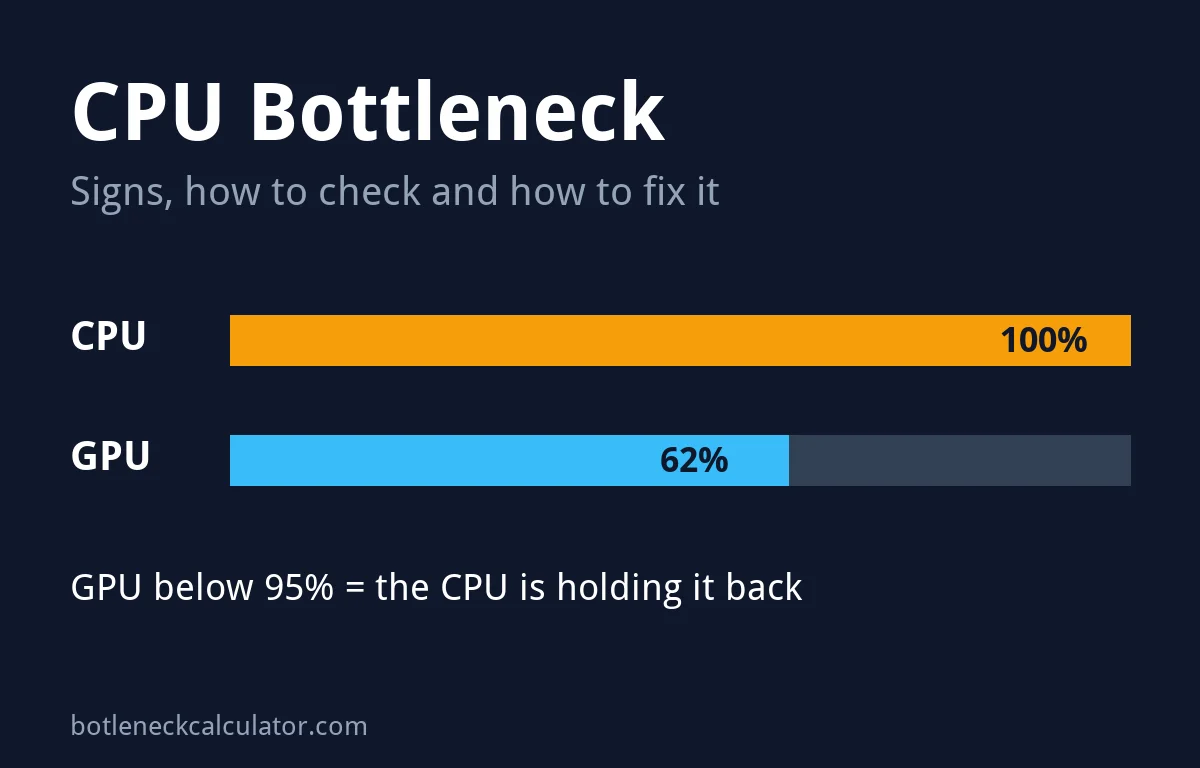
Table of ContentsShow or hide all 11 sectionsShowHide
CPU bottleneck: key facts
- What it is: the CPU is the slowest part of the chain, so it sets your maximum FPS.
- Main sign: GPU usage below about 95% in a demanding game scene.
- Where it shows most: 1080p, high-refresh gaming, competitive shooters, strategy, simulation and open-world games.
- Is it bad? Only if your FPS is lower than you want or the game stutters.
- Can it damage your PC? No. It only limits performance.
- Fastest free fix: raise the resolution or graphics settings so the GPU does more work.
What is a CPU bottleneck?
Every frame in a game is made in two steps. First the CPU runs the game logic, physics, AI and player positions, and sends drawing instructions to the graphics card. Then the GPU draws the frame. If the CPU takes longer than the GPU, the graphics card finishes early and sits idle until the next set of instructions arrives.
Microsoft’s DirectX team describes this as the frame rate being limited by how fast the CPU can generate instructions for the GPU. In plain words: a faster graphics card will not raise your FPS, because it is already waiting.
CPU bottleneck symptoms
- Low GPU usage in game. Your graphics card stays below about 95% in busy scenes, not just in menus.
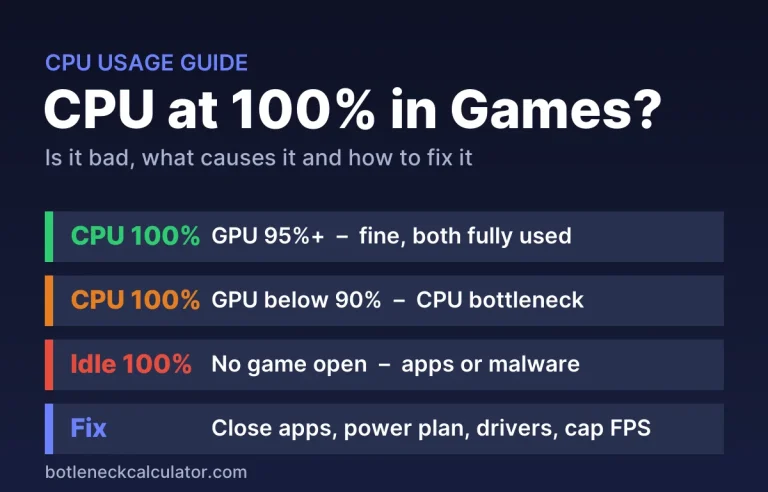
- One CPU thread near 100%. Total CPU usage can look low, for example 40%, while one thread is maxed out. Always check per-core usage. If your CPU sits at 100% instead, see why your CPU is at 100% while gaming.
- FPS does not change when you lower settings. Dropping from High to Low, or 1440p to 1080p, gives almost the same frame rate.
- Drops in busy scenes. FPS falls in cities, big fights or crowded multiplayer matches, where the CPU has the most to calculate.
- Upscaling does not help. FPS is the same with DLSS or FSR on Quality and on Performance.
How to tell if your CPU is bottlenecking your GPU
- Install MSI Afterburner (with RivaTuner) and turn on the overlay for GPU usage, CPU usage per thread and FPS.
- Turn off any frame cap and V-Sync for the test. A cap makes GPU usage low even when nothing is wrong.
- Play a demanding part of a game for a few minutes. Menus and loading screens do not count.
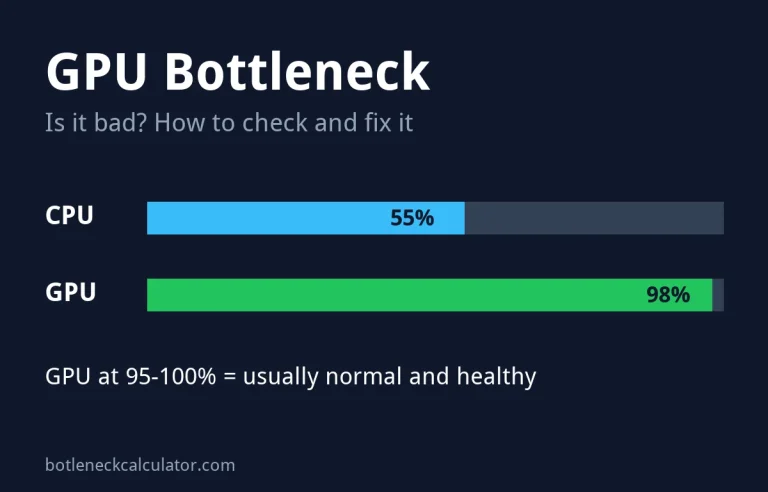
- Read the GPU usage. PCWorld’s rule of thumb: 95% to 100% means you are GPU-limited, below 95% points to the CPU, and 80% or less suggests a strong CPU bottleneck.
- Confirm it: lower the resolution or switch upscaling from Quality to Performance. If FPS barely rises, the CPU is the limit.
| GPU usage | Busiest CPU thread | FPS when you lower settings | What it means |
|---|---|---|---|
| 95% to 100% | Any | Goes up | GPU-bound. This is normal and healthy. |
| Below 95% | Close to 100% | Stays the same | CPU bottleneck |
| Below 95% | Low | Stays the same | Frame cap, V-Sync, game engine limit or a background problem |
Need help reading the overlay? See how to monitor PC performance while gaming and why GPU usage is low in games.
Does resolution change a CPU bottleneck?
Yes, a lot. The CPU’s work per frame stays about the same at any resolution, but the GPU’s work grows with every extra pixel. So a CPU bottleneck is biggest at 1080p and often disappears at 4K.
Example from our calculator: a Ryzen 5 3600 with an RTX 5070 shows a 37% CPU bottleneck at 1080p, 26% at 1440p and is balanced at 4K. Same parts, different result, only because of the resolution.
Can DLSS or FSR cause a CPU bottleneck?
Yes. Upscaling renders the game at a lower resolution, so the GPU finishes faster and needs instructions sooner. Tom’s Hardware tested this in February 2026 with an RTX 4080 Super. At 1440p with DLSS, the Core i5-14400 was a complete bottleneck. At 1080p with DLSS, every tested CPU except the Ryzen 7 9850X3D was fully CPU-bound.
Their simple test works on any PC: if FPS is the same in Quality and Performance mode, you are CPU-bound.
Is a CPU bottleneck bad?
Not always. Every PC has a bottleneck, because one part is always the slowest. A CPU bottleneck only matters when:
- your FPS is below your monitor’s refresh rate or your target, or
- the game stutters or has low 1% lows in busy scenes.
If you get 140 FPS on a 144Hz monitor and the game feels smooth, a CPU bottleneck on paper is nothing to worry about. It also cannot damage your CPU or graphics card.
How to fix a CPU bottleneck
Start with the free fixes at the top. Upgrade only if they are not enough.
- Raise resolution or graphics settings. The GPU does more work, so you get better image quality for almost no FPS loss.
- Lower CPU-heavy settings. View distance, crowd or NPC density and physics settings usually load the CPU more than the GPU.
- Cap your frame rate a little below your average FPS. Steady frame times feel smoother than a high but jumpy number.
- Close background apps such as browsers, launchers and recording software you are not using.
- Check your RAM. Use two sticks for dual channel and turn on XMP or EXPO in the BIOS. See does RAM speed impact gaming and how much RAM you need.
- Update BIOS and chipset drivers, and use the Balanced or High performance power plan in Windows.
- Check temperatures. A hot CPU slows itself down. See what a normal CPU temperature is.
- Upgrade the CPU if the steps above do not help. On many older platforms a drop-in upgrade is cheap. See our CPU upgrade guides and best CPU for your GPU.
More free tips are in how to fix a PC bottleneck without upgrading.
Which games are most CPU-heavy?
Microsoft notes that open-world and real-time strategy games tend to need more CPU power, and that the load can change from scene to scene within one game. In practice, these types often show a CPU bottleneck first:
- Strategy and city-building games with many units
- Flight, racing and farming simulators
- Large open-world games with busy cities
- MMOs and big multiplayer battles
- Competitive shooters played at very high frame rates
CPU bottleneck vs GPU bottleneck
| CPU bottleneck | GPU bottleneck | |
|---|---|---|
| GPU usage | Below about 95% | 95% to 100% |
| Most common at | 1080p and high frame rates | 1440p, 4K and ray tracing |
| Lowering graphics settings | Little or no FPS gain | Clear FPS gain |
| Is it normal? | Fine if FPS is high enough | Yes, usually the ideal state |
| Main fix | Raise settings or upgrade CPU | Lower settings, use upscaling or upgrade GPU |
Seeing 95% to 100% GPU usage instead? Read the full GPU bottleneck guide to learn when it is normal and how to fix it.
Want a number for your own build? Our CPU and GPU bottleneck calculator shows the result at 1080p, 1440p and 4K. You can read how it works on the How We Calculate page.
If your processor is unlocked, a careful overclock can lift FPS in CPU-bound games. See how much it really helps in our guide: does overclocking increase FPS?
Sources: Microsoft DirectX Developer Blog – CPU and GPU boundedness; PCWorld – PC bottlenecks explained; Tom’s Hardware – CPU scaling with DLSS.
Frequently asked questions
How do I know if my CPU is bottlenecking my GPU?
Watch GPU usage in a demanding game scene with an overlay such as MSI Afterburner. If it stays below about 95% and FPS does not rise when you lower settings, your CPU is the bottleneck.
Can a CPU bottleneck damage my PC?
No. A bottleneck only limits performance. It does not harm the CPU, graphics card or any other part.
Does a CPU bottleneck cause stuttering?
It can. When the CPU cannot keep up in busy scenes, frame times become uneven, which you feel as stutter and see as low 1% lows. Capping FPS slightly below your average often makes it smoother.
Will a better graphics card fix a CPU bottleneck?
No. A faster GPU will wait even longer for the CPU, so FPS barely changes. Upgrade the CPU, or play at a higher resolution to use the GPU you have.
Is a CPU bottleneck at 1080p normal?
Yes, especially with a strong graphics card. At 1080p the GPU has less work per frame, so the CPU is more likely to be the limit.
Does more RAM fix a CPU bottleneck?
Only if you have too little RAM or a single stick. Moving to 16 GB or more in dual channel can help. Beyond that, extra RAM will not raise FPS.