Why Is My CPU at 100% While Gaming? Causes and Fixes
CPU usage at 100% while gaming is not dangerous. Processors are built to run at full load, and Intel says so directly. It becomes a problem when it causes stutter, lag or low FPS. The usual causes are background apps, a power saving plan, outdated drivers, malware, or a processor that is too weak for the game and your graphics card. Check temperatures and Task Manager first, then decide whether you need an upgrade.
This guide explains when 100% CPU usage is normal, how to find the cause, and nine fixes to try before you buy anything. To see whether your processor is simply too slow for your graphics card, run both through our free bottleneck calculator.
Last updated: November 2026
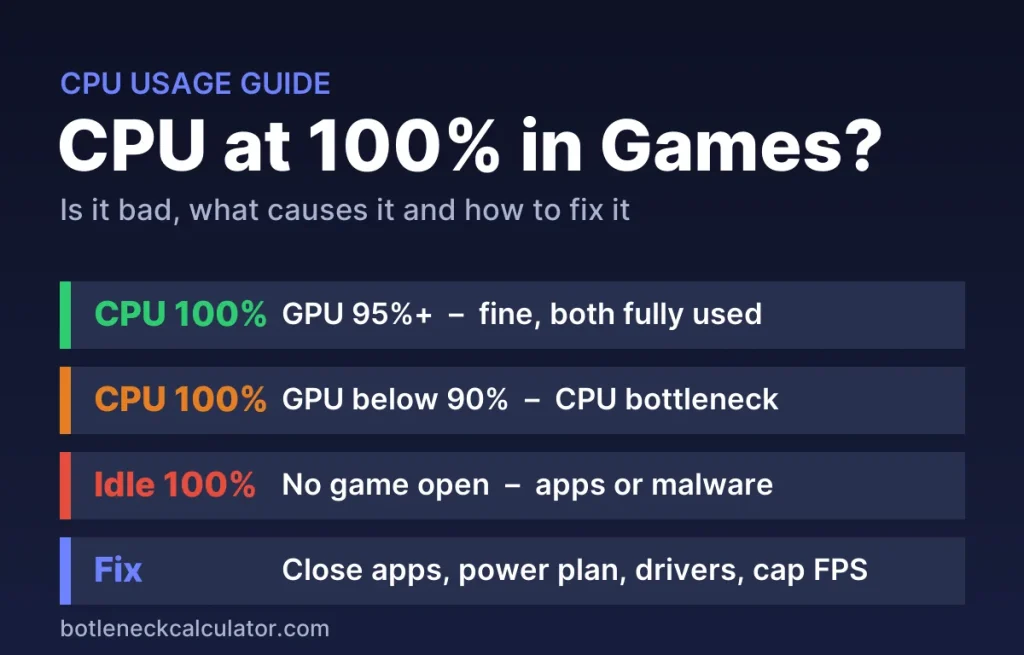
Table of ContentsShow or hide all 6 sectionsShowHide
Is 100% CPU usage while gaming bad?
No, not by itself. Intel notes that processors are designed to run safely at 100% utilization, and Micro Center calls 80–90% usage normal in games and other demanding software. A game that uses your whole CPU is simply using what you paid for.
It is worth fixing when you see any of these:
- Stutter, freezes or big FPS drops in busy scenes
- Graphics card usage well below 95% at the same time
- Sound crackling or Discord voice cutting out while you play
- High CPU usage even when no game is running
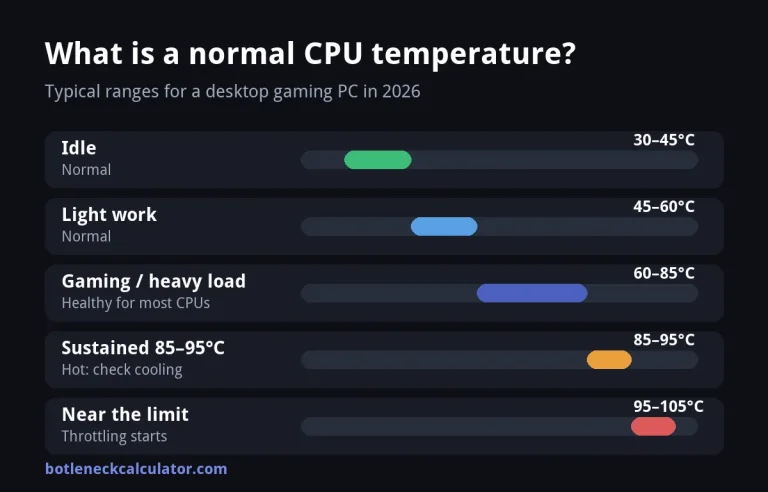
- CPU temperatures in the high 90s °C
Quick check: what your CPU and GPU usage mean
| CPU usage | GPU usage | What it means |
|---|---|---|
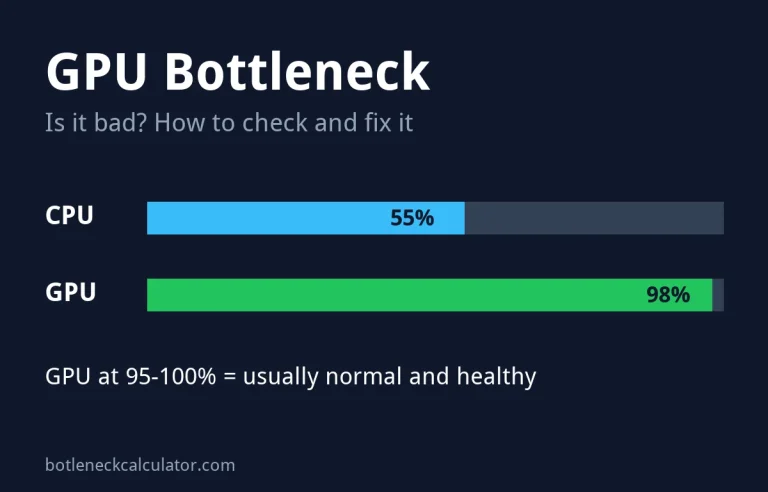
| 100% | 95–100% | Both parts are fully used. This is fine. |
| 100% | Below 90% | The CPU is holding the graphics card back (CPU bottleneck). |
| 40–60%, one thread at 100% | Below 90% | The game leans on one or two cores. Still a CPU limit. |
| High with no game open | Low | Background process, malware or a Windows problem. |
Use the MSI Afterburner overlay to see CPU and GPU usage during real gameplay, not in menus. Our guide on low GPU usage in games explains the GPU side in more detail.
Why is my CPU at 100% while gaming?
- The game is CPU-heavy. Battle royale, strategy, simulation and open-world games with many characters put a lot of work on the processor, especially at 1080p and high frame rates.
- Your CPU has few cores or threads. Older chips with 4 cores and 4 threads, or 6 cores without Hyper-Threading such as the Core i5-9400F, often run at 100% in modern games.
- Background apps. Browsers, launchers, recording software, RGB tools and updates all compete with the game.
- Power saver mode. A power saving plan holds back CPU speed, so the same work takes a bigger share of the processor.
- Outdated drivers or Windows bugs. Intel lists faulty Windows processes and old drivers as common causes.
- Malware. Crypto-mining malware can quietly use your CPU in the background.
- Overheating. A hot processor slows itself down (thermal throttling), so it runs at 100% while doing less work.
- The monitor is plugged into the motherboard. On a PC with a graphics card, the cable must go into the graphics card, or the work lands on the processor.
How to fix high CPU usage in games
- Restart your PC. It clears stuck processes and finished updates.
- Close background apps. Open Task Manager (Ctrl + Shift + Esc), sort by CPU and close what you do not need. Turn off unneeded startup apps under Settings > Apps > Startup. Do not end Windows processes such as explorer.exe.
- Use the right power plan. Choose Balanced or High performance, not Power saver.
- Update your graphics driver and Windows. Get drivers from NVIDIA, AMD or Intel directly. Intel advises against third-party driver updater tools. See how to update GPU drivers.
- Scan for malware with Windows Security or another trusted antivirus, especially if usage stays high when the PC is idle.
- Check temperatures. Clean dust from fans and filters and check that the cooler is mounted well. See normal CPU temperatures for safe ranges.
- Cap your frame rate. A limit near your monitor’s refresh rate, or V-Sync or G-Sync, stops the CPU from rendering frames you never see.
- Move work to the graphics card. Raise the resolution or graphics settings, turn on DLSS or FSR Frame Generation if available, and lower CPU-heavy settings such as crowd density, view distance and physics.
- Check your RAM. Use two sticks for dual channel and turn on XMP or EXPO in the BIOS. Slow or single-channel memory makes the CPU work harder. Read how much RAM you need for gaming.
More free fixes are in our guide to fixing a bottleneck without upgrading.
When your CPU is simply too weak
If usage is still at 100% after the fixes and your graphics card sits well below 95%, the processor cannot keep up. This is common after a graphics card upgrade on an older system. In our calculator, a Core i5-9400F with an RTX 5070 shows a 41% CPU bottleneck at 1080p in battle royale games, while a Ryzen 7 5700X3D with an RTX 4070 Ti Super shows 27%.
Check your own pair in the bottleneck calculator, and read what each bottleneck percentage means. If an upgrade makes sense, our CPU upgrade guide shows which processors fit your motherboard, for example the best upgrade for the Core i5-9400F.
Sources: Intel – How to fix high CPU usage; Micro Center – Understanding CPU usage.
Frequently asked questions
Can 100% CPU usage damage my processor?
No. Processors are built to run at full load. Heat is the real risk, and modern CPUs slow themselves down before they overheat. Keep temperatures in a safe range and your CPU will be fine.
What is normal CPU usage while gaming?
Anything from 30% to 100% can be normal. It depends on the game, your frame rate and how many cores your processor has. What matters is whether the game runs smoothly and your graphics card stays near full use.
Why is my CPU at 100% but my GPU low?
Your processor cannot prepare frames fast enough for the graphics card, so the card waits. This is a CPU bottleneck. Try the fixes above, cap your FPS, or raise graphics settings so the card does more of the work.
Does more RAM lower CPU usage?
Only if you run out of RAM. Going from 8 GB to 16 GB can reduce stutter and CPU load in modern games. Running memory in dual channel and at its rated speed also helps the CPU.
Why is my CPU usage high when I am not gaming?
A background app, Windows update, faulty process or malware is likely. Intel notes that Windows background processes together should use less than 10% of the CPU when the PC is idle. Sort Task Manager by CPU to find the cause.
Will a new graphics card fix 100% CPU usage?
No. A faster graphics card usually makes it worse, because the processor has to prepare even more frames. If the CPU is the limit, upgrade the processor first.